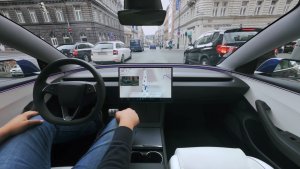
In a recent change to the YouTube app in Tesla vehicles, users encountered a frustrating issue where video resolution was set to, and stuck, at a low, 360p resolution. The issue was by some YouTube caused by non-functioning dropdown menus in YouTube settings. However, the issue now appears to have been addressed and users are able to enjoy their favorite content in up to 1080p resolution.
Tap and Enjoy Your Favorite Videos in High Resolution
It looks like YouTube updated their website, which Tesla leverages for their YouTube app, to provide better dropdown support. Although video content will still default to 360p resolution, you can now properly change the dropdowns to easily change the video resolution, adjust playback speed, and toggle captions by simply tapping on the screen.
When you tap a dropdown, instead of displaying a list of choices to pick from, the YouTube app will now advance to the next possible option. For example, when you tap the resolution dropdown, the value will change from 360p to 480p to 720p, etc.
Our original story discussed the YouTube issue and a workaround.
Before this fix, Tesla owners had discovered a cumbersome workaround to address the YouTube resolution issue, but it was anything but user-friendly. The inconvenient process left many users longing for a more permanent and intuitive solution, and Tesla has finally delivered.
Enhancing Tesla Theater Experience
This update is a relief to Tesla owners who enjoy using the Tesla Theater feature for streaming YouTube content. The improved functionality of the dropdown menus makes it more convenient for users to watch videos in the desired quality, ultimately enhancing the overall Tesla Theater experience.
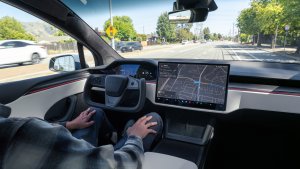
Tesla vehicles are known for their large displays. With the ability to watch YouTube videos in up to 1080p resolution, users can now fully appreciate the clarity and detail offered by Tesla's in-car screens. This fix ensures that Tesla owners can enjoy the best possible video quality while using the Tesla Theater feature.
If you're a fan of watching YouTube in your vehicle, give it a go. Pause a video and tap the settings icon at the top right corner of the video. Once the settings dialog comes up, simply tap the resolution dropdown to change the video playback resolution.
Since this fix appears to have been made on YouTube's site, it doesn't need a Tesla update to address. All Tesla owners should once again be able to watch their favorite content in upto 1080p resolution.