Tesla's 2023.26 update, which is now available on most vehicles, arrived with several exciting features, including a Spotify player refresh, support for Bluetooth controllers on the Model 3/Y and the rumored Charge on Solar feature for Tesla Solar and Powerwall owners.
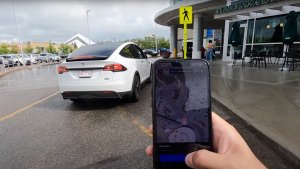
The update also included smaller enhancements, such as the multi-cam view in the Tesla app, the ability to automatic turn on the headlights when the wipers are in use (available in select regions) and more.
For the new Model S and Model X, the update also added some features that were previously available on the Model 3 and Model Y, such as the customizable scroll wheel and the ability to reposition the Blind Spot Camera on the center display.
However, most Tesla updates also include smaller improvements not mentioned in the release notes. Owners slowly discover these changes over time, and we've outlined them here.
Improved Phone Calls

When you have your climate system set to 'Auto,' the HVAC fan speed may be lowered automatically to reduce cabin noise while you're on a phone call.
Service Mode Improvements

Several new diagnostic screens have been added to Service Mode. They include the ability to test your steering wheel stalks, scroll wheels, horn and parking brake. You can now view the status and details of your airbags, low-voltage battery and the pitch of your vehicle's cameras.Service Mode is a mode that's typically reserved for service technicians, although it can be accessed by anyone. It is used to view information and test various aspects of a vehicle.
Supercharging Details

When charging your vehicle at a Tesla Supercharger, your vehicle will now display more details about the Supercharging session.On the Charging screen (Controls > Charging), your Tesla will now display the price per kWh you're being charged, as well as the total energy charged.This is in addition to the Supercharger location and the total cost for the Supercharger session, both of which were added in prior updates.
Automatic Navigation Improvements

If you have Automatic Navigation enabled in your Tesla, you'll now be presented with your suggested destination when you enter your vehicle.The popup on the screen will display your destination, your ETA, battery upon arrival, as well as a photo of your destination if available.You can begin driving to automatically start the route, or you can cancel the suggested destination.Note: You can turn on Automatic Navigation by going to Controls > Navigation and enabling Automatic Navigation.
Updated Apps Badge

Similar to the "New" badges that Tesla added in update 2023.12 that signify which features are new in menus, Tesla will now display a blue dot underneath each app that is new or has been updated.
Daily Charge Limit

The recommended daily charge level has been updated for some vehicles. Depending on your vehicle, the types of batteries it uses and where it was manufactured, Tesla may have lowered the recommended daily charge limit.
Updated Manual App

Software Release Notes are now part of the Manual App, which already houses the owner's manual and tutorials. The app's icon has also been updated slightly.You can tab between the three sections of the app by tapping on the names near the top.The Release Notes' left column has been simplified and now only lists the name of the new feature, instead of the category such as "Climate Control Improvements."
Almost every update comes with a handful of undocumented changes that may not be big to make it into the release notes. Have you noticed any other changes in update 2023.26 or 2023.32 that we're not aware of? Let us know.