Tesla has now started rolling out update 2022.36.1 (release notes). With this update Tesla's mobile application will now show users additional information for the media that’s playing in the vehicle, such as the song title, artist, and destination information.
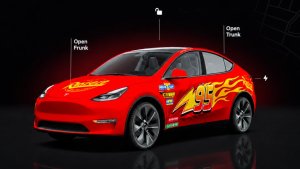
The automaker has rolled out a number of improvements to their mobile app over the last few months, including the ability to order a vehicle directly in the app. Earlier last month, an app update suggested that Tesla would be adding a powered frunk to their vehicles.
This has not been confirmed by CEO Elon Musk or Tesla. Many owners have taken it upon themselves to add aftermarket parts to motorize the front trunk.
Song Details
With Tesla’s newest update to their mobile app, owners will now be able to see a song’s title, artist name, as well as the volume levels, pause/play, and forward and reverse.
The song details will show up directly above the pause/play buttons that were previously displayed.
Destination
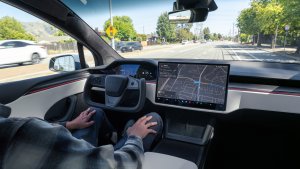
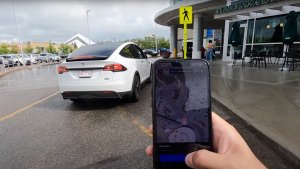
Additionally, if the driver is using GPS to navigate to a specific location, the mobile app will display details about their destination.
This information will be displayed in the "Location" section of the app. When the GPS is in use, the location section will be renamed Navigation and it will display the driver's destination, distance, and ETA directly on the main app screen.
If you tap into the Navigation section, you'll be greeted by a map with the vehicle's location and nearby Superchargers like before, but you'll also see the vehicle's destination details.
In addition to displaying the vehicle's set destination and ETA, the app will also display the car's expected state of charge will be upon arrival.
This information is helpful as it provides additional transparency for owners into their vehicles’ battery consumption and how they’re being used. Tesla is also in the process of rolling out updates that include major revisions to their Energy application within the vehicle.
These improvements include the battery’s state of charge upon leaving and arriving and what the main causes of battery drain are.
For example, if it’s really hot outside and your A/C is set to a low temperature and the fans are blowing on 10, the vehicle will display how much power your A/C is consuming. The Energy application will also show driving, battery conditioning, elevation, and “everything else,” like charging a mobile device, onboard computers, lights, audio system, and more.
As we continue to see big updates to Full Self-Driving Beta, we’re sure to see more improvements to the mobile app as they continue to add helpful new features to the vehicle.
These new features require Tesla app version 4.13 or later and Tesla's 2022.36 update.