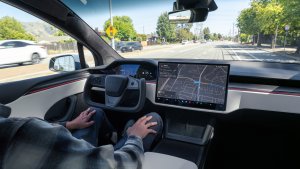
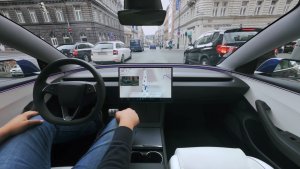
Tesla's minimalistic interior design is both loved and hated. Much loathing is due to the lack of physical buttons drivers are so used to having at their fingertips to control heat, music and everything else in the cabin. The sleek look is attractive, but for some it can fall short in easy accessibility while driving.
That's where a new product comes into play: Ctrl-Bar. Created by Øyvind Husby of Oslo, Norway, Ctrl-Bar has nearly 300 backers on the crowdfunding website Indiegogo and has beat its target funding goal by more than 280 percent. The objective is to provide a tactile, programmable solution to Tesla's minimalistic interior design.
How It Works
Ctrl-Bar is a device that attaches securely to the bottom of the Model 3 and Model Y screen and offers a quick-access, tactile response that physical buttons can only achieve. The premium black glass finish blends seamlessly with the screen bezel, providing a smooth look. It connects to a smartphone using Bluetooth Low Energy (BLE) and gets power from a hidden USB cable connected to the rear center console USB port. The app runs in the background, capturing only the data needed to run the services and prioritizing privacy. In addition, the Ctrl-Bar screen shows real-time changes, so there is no latency when changing temperatures or other functions. After less than a second, the device will send the command to your vehicle.
Ctrl-Bar Video
The Scrolls, Buttons and Extras
The Ctrl-Bar has two scroll wheels with tactile indents to control the cabin temperature, one for the driver and the passenger. In addition, four push buttons are in the middle of the wheels to provide easy access to programmable shortcuts, such as seat heaters, defrost mode, dog mode, and more. All changes made on the Ctrl-Bar are reflected on the center screen, offering a unified experience.
In addition to controlling essential functions, Ctrl-Bar also provides ambient LED lighting. The device has a series of powerful LEDs that illuminate the center console and front footwells. Users can scroll through assorted color and brightness options to find the perfect lighting for their drive. For an additional subscription, Ctrl-Bar offers speed trap warnings. The device checks for nearby fixed speed traps and visually alerts the driver when they are approaching. If the driver exceeds the speed limit, Ctrl-Bar will give an audible warning reminding them to slow down.

Creative Company with a Track Record
Greenmission, the company behind Ctrl-Bar, has successfully launched a premium wireless charger for the Tesla Model S/X. With trusted manufacturers and software developers on board, the main obstacles to getting Ctrl-Bar into the hands of Tesla owners are developing the phone app, establishing a reliable connection, avoiding supplier issues and delays, and managing costs. Despite these challenges, Greenmission is confident they can bring Ctrl-Bar to market and provide a much-needed solution to the lack of physical buttons in Tesla vehicles.
Ctrl-Bar is an interesting device that adds some physical buttons for owners who want or need them. It matches well with the interior of the vehicle and still provides a sleek look. However, it will require your phone to have a cellular connection to successfully send commands to the vehicle, since it relies on Tesla's APIs.
Tesla drivers are always looking for ways to improve their experience, and new features will be made available through Over-The-Air updates. Furthermore, users' feedback and suggestions will be considered and worked on in future updates.