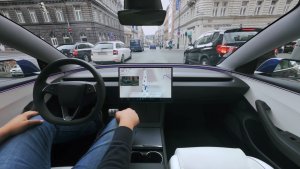
Many users of FSD have found that the highway stack tends to be extremely conservative. Even with FSD V13, it maintains a speed far lower than the one selected.
This has been an issue with FSD’s speed profiles for a long time. While tapping the accelerator sometimes works, on V13, FSD will often slow right back down to the speed it was originally at - maintaining whatever speed the ego prefers.
Set Speed Vs Max Speed
Phil Duan, a Senior Staff Software Engineer on Tesla’s AI team, made a series of comments about the “set speed” vs “max speed” and the issues many users are experiencing.
Set Speed: Back in October, Phil mentioned the fact that set speed is a legacy concept from cruise control. For FSD, the vehicle needs to be able to determine the correct speed - the user should just have to set a driving style, and FSD should do the right thing. That also includes picking the most appropriate speed to drive at, given the current environment.
Max Speed: Max Speed should be the maximum speed you want the vehicle to stay below. It should not be confused with Set Speed, which Phil says that by design, “FSD will unlikely accelerate to match it.”
Just like switching from signal stalks to signal buttons, this is another Tesla change that users will have to get used to - as FSD will only drive as fast as it deems safe rather than the speed the user wants to drive at.
Upcoming Change
Phil replied to Dan Burkland on X and mentioned that Tesla is aware of the feedback and that there will be an update to the highway stack to address the issue where the vehicle’s speed yoyos up and down. This update will, in particular, target the vehicle’s speed on the highway and the following distance to a lead vehicle - both of which are now not adjustable by the user in FSD V13.
While it looks like Tesla is going to improve the vehicle’s speed on the highway, a user-selectable speed is not something they’re going to add and users will need to continue to use Speed Profiles to “set” their driving speed.
We’re interested to see where this update takes us because many first-time users have experienced confusion over why their vehicle doesn’t achieve the speed that they set - having been conditioned to expect that speed as the set speed.
FSD V13.2 is about a month old now, so it looks like we may see FSD V13.3 soon.