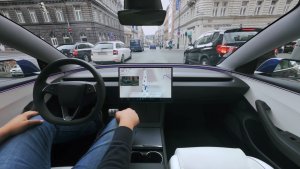
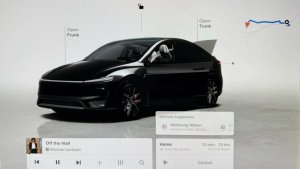
Tesla launched two FSD updates simultaneously on Saturday night, and what’s most interesting is that they arrived on the same software version. We’ll dig into that a little later, but for now, there’s good news for everyone. For Hardware 3 owners, FSD V12.6.1 is launching to all vehicles, including the Model 3 and Model Y. For AI4 owners, FSD V13.2.4 is launching, starting with the Cybertruck.
FSD V13.2.4
A new V13 build is now rolling out to the Cybertruck and is expected to arrive for the rest of the AI4 fleet soon. However, this build seems to be focused on bug fixes. There are no changes to the release notes for the Cybertruck with this release, and it’s unlikely to feature any changes when it arrives on other vehicles.
While this update focuses on bug fixes, Tesla’s already working on bigger features for FSD V13.3, which we have already confirmed to include improvements to highway following and speed control.
FSD V12.6.1
FSD V12.6.1 builds upon V12.6, which is the latest FSD version for HW3 vehicles. While FSD V12.6 was only released for the redesigned Model S and Model X with HW3, FSD V12.6.1 is adding support for the Model 3 and Model Y.
While this is only a bug-fix release for users coming from FSD V12.6, it includes massive improvements for anyone coming from an older FSD version. Two of the biggest changes are the new end-to-end highway stack that now utilizes FSD V12 for highway driving and a redesigned controller that allows FSD to drive “V13” smooth.
It also adds speed profiles, earlier lane changes, and more. You can read our in-depth look at all the changes in FSD V12.6.
Same Update, Multiple FSD Builds
What’s interesting about this software version is that it “includes" two FSD updates, V12.6.1 for HW3 and V13.2.4 for HW4 vehicles. While this is interesting, it’s less special when you understand what’s happening under the hood.
The vehicle’s firmware and Autopilot firmware are actually completely separate. While a vehicle downloading a firmware update may look like a singular process, it’s actually performing several functions during this period. First, it downloads the vehicle’s firmware. Upon unpacking the update, it’s instructed which Autopilot/FSD firmware should be downloaded.
While the FSD firmware is separate, the vehicle can’t download any FSD update. The FSD version is hard-coded in the vehicle’s firmware that was just downloaded. This helps Tesla keep the infotainment and Autopilot firmware tightly coupled, leading to fewer issues.
What we’re seeing here is that HW3 vehicles are being told to download one FSD version, while HW4 vehicles are being told to download a different version.
While this is the first time Tesla has had two FSD versions tied to the same vehicle software version, the process hasn’t actually changed, and what we’re seeing won’t lead to faster FSD updates or the ability to download FSD separately. What we’re seeing is the direct result of the divergence of HW3 and HW4.
While HW3/4 remained basically on the same FSD version until recently, it is now necessary to deploy different versions for the two platforms. We expect this to be the norm going forward, where HW3 will be on a much different version of FSD than HW4. While each update may not include two different FSD versions going forward, we may see it occasionally, depending on which features Autopilot is dependent on.
Thanks to Greentheonly for helping us understand what happened with this release and for the insight into Tesla’s processes.