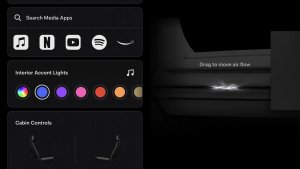
Over the years, Tesla has introduced UI elements that indicate when specific hardware or software features are active—and these two new dots follow the same pattern.
In June 2024, Tesla introduced the ability to see which third-party apps have access to the vehicle’s location, and these new indicator dots have a similar goal — to improve transparency on features that impact privacy.
Green Dot
If you’ve noticed a green dot on your Tesla display or the instrument cluster for the Model S or Model X, then you have access to Tesla’s hands-free Autopilot feature.
The green dot is displayed on the screen whenever FSD or Autopilot is active and the vehicle is using the interior camera to monitor the driver’s attention.
The cabin camera does a much better job monitoring the driver than the old method of sensing torque on the steering wheel. The cabin camera detects driver attention by tracking the driver’s head and eyes and making sure they’re focusing on the road. If the driver looks away from the road for an extended period, the vehicle will warn the driver or issue a strike for repeat offenses.
If the cabin camera is occluded or obscured, or if it’s simply too dark, the vehicle will fall back to monitoring the driver by detecting torque on the steering wheel.
The presence of the green dot not only lets the driver know that the interior camera is being used but also lets them know whether they need to keep their hands on the steering wheel.
It’s important to note that images and video taken with the interior camera are processed in the vehicle and do not leave the vehicle unless you have granted access for Tesla to use them to improve functionality.
You can check your privacy and data sharing policy in Controls > Software and tap the Data Sharing button at the bottom.
Orange Dot
The orange dot functions similarly to the green one, but instead of indicating cabin camera usage, it appears when the vehicle’s microphone is active. This was added with software update 2025.2, which now listens for audio cues to detect emergency vehicles and other types of noises that could help the vehicle better understand its environment in the future.
Tesla is currently collecting this data to refine its ability to detect emergency vehicles even before they come into view. This capability is expected to be added in FSD v14 along with a larger model size.
Like cabin camera analytics, drivers can opt to share audio data with Tesla to improve detection accuracy. Many users received an “Allow Sound Detection Analytics” prompt following the recent update. If they consent, Tesla may use certain audio snippets to help improve their detection model. Any data transmitted to Tesla is not linked to a specific user or vehicle, so it can’t be tied to a specific individual.
Otherwise, all audio detection and processing is completed in the vehicle to ensure the driver’s privacy.