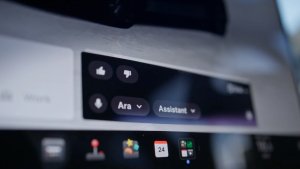
Tesla is continuing to bridge the gap between human conversation and machine commands. XAI’s Grok is becoming a more integral part of the driving experience, specifically for those looking to ditch rigid voice prompts in favor of natural language.
Grok first arrived in North America last summer with software version 2025.26. Since then, Tesla has introduced Navigation Commands, a feature that allows the AI to configure your trip details even though it can't yet pull the physical stalks or adjust the climate for you. Now, with software update 2026.2.6, Grok with Navigation Commands is expanding to Europe, bringing these "superpowers" to a whole new group of drivers.
However, Tesla has also been improving Grok under the hood. Here are some of the best tips to make the most of Grok in your Tesla.
Better Ways to Navigate
The standout feature of Grok's integration is its ability to understand context. Instead of memorizing a specific phrase, you can talk to your car like a person.
Conditional Routing: You can now give Grok complex instructions like, "Route to the airport via a Dunkin’ Donuts if it doesn't add more than 15 minutes". Because the AI understands natural language, it can extract your intent from a casual sentence instead of requiring a rigid command that is easy to mess up.
Route via Specific Roads: If you have a preferred path, you can simply say, "Route to work via [Road Name]," and the vehicle will set that specific street as a waypoint.
Optimized Errands: You can chain your day together in one go and find the most efficient route. Just say something like "I need to go to Best Buy, CVS Pharmacy, Starbucks, and then back home. Navigate to these in the most efficient order.”
New "Turn Off" Commands
Tesla recently enabled the ability to end a Grok session entirely by voice. If you’re finished with a conversation or want to clear the overlay, you can use natural sign-offs. You can say anything along the lines of "see ya," "turn off," or "bye" to immediately close the Grok interface simply by using your voice.
More Than Just a Map
Beyond navigation, Grok acts as a digital owner's manual and entertainment hub.
Manual Search: You can ask questions about your car, such as "What does this dashboard light mean?" or "How do I adjust the mirrors?" and Grok will pull the answer from the vehicle's documentation.
Vehicle Data
While Grok doesn’t yet have access to other vehicle commands, it’s clear this will be available in a future update. Expect to be able to say things like “turn on my seat heater” or “blast the AC” in the future.
However, Grok already has a couple of pieces of information about your vehicle. This includes knowing your vehicle’s exact location and your range, in miles and percentage. One day, we should be able to ask it or sorts of questions such as what’s the temperature in the car, what is the fan speed and more.
Tesla is also adding a wake word for Grok, which will make it even easier to use, and we also expect to get spatial awareness, which will let the vehicle know who activated Grok. This will enable more seamless commands, like when someone says, activate my seat heater, it’ll know exactly which one to turn on.
Requirements and Limitations
To use these features, your vehicle must be equipped with an AMD Ryzen processor. You also need an active Premium Connectivity subscription or a stable Wi-Fi connection. While owners of older vehicles with Intel Atom chips are still stuck hoping Tesla has them on its roadmap for the feature, the move to Europe suggests the company is committed to a wider rollout.
As Grok moves out of its early beta stages, we expect to see even deeper integration with vehicle hardware, potentially allowing the AI to eventually adjust your cabin temperature or media settings just as easily as it finds you a place to eat.
Follow Us on Google
Add Not a Tesla App as a preferred source on Google to see more of our stories in Top Stories.
Add to Preferred Sources