The best way to spread Christmas cheer, other than singing loudly for all to hear, is to drive your Tesla in Santa Mode. If you haven't already, hit the voice command and say: Ho, Ho, Ho, and watch Christmas magic transform your vehicle.
Santa Mode changes the display to a winter wonderland, and you may even spot a snowflake gently falling from the sky. But the big attraction is that your vehicle is now a Tesla-inspired red sleigh full of presents, and, of course, it's being pulled by reindeer. At the helm, none other than Jolly Ol' Saint Nick.
Santa Mode Visualizations
That's not all. Vehicles no longer appear like cars and trucks on the screen; they are now reindeer. Pedestrians also get a shot of the Christmas spirit, transforming into elves.
Tesla has put so much detail into this festive feature that you can pan and zoom the visualization to take a closer look at Santa's sleigh and all the unique aspects of this special mode.
Turn signals are no longer that traditional clicking sound—instead, the sound of sleigh bells jingles when the turn signal is activated. Plus, take a close look at the collars on the reindeer. They light up and flash red when using turn signals.
While this isn’t available in the current version of Santa Mode, a previous rendition of Santa Mode included animated reindeer legs. The speed at which the Tesla and the other vehicles moved would affect how fast the reindeer's legs would move. When slowing down, the reindeer will also slow down to a trot. Nowadays, the reindeer's legs are stationary.

Differences Between Models
There are subtle differences between Intel and AMD vehicles. AMD-based vehicles will include improved lighting, with nice reflections off the vehicle and the presents, while Intel vehicles are almost identical, but without the improved lighting.
Model 3 and Model Y vehicles feature the same Santa sleigh, which is a modified Model 3/Y. While Model S and Model X cars will feature a modified Model S with the unique grill, headlights, and door handles.
The Cybertruck, on the other hand, features a completely different and unique Santa Mode.
Santa Mode on Cybertruck

The Cybertruck features a unique Santa Mode from the sleigh to the reindeer, and Santa himself. Instead of Santa Claus, we have Optimus behind the wheel in the Cybertruck. The sleigh itself is a modified red Cybertruck, while the reindeer are outfitted in futuristic gold harnesses and blue sunglasses.
In addition to the reindeer’s harnesses lighting up when you use your turn signal, Optimus also signals with his arms.
The Cybertruck sleigh is also powered by levitating technology, matching the Cybertruck’s unique appearance.
Activate Santa Mode
There are several ways to activate Santa Mode. Depending on how you turn on Santa Mode, a different song will be played. Open the Toy Box and scroll over to Santa Mode to turn it on, or use voice commands and say Ho Ho Ho. Not only will Santa Mode turn on, but the song "Run, Rudolph, Run" by Chuck Berry will also play.
You can also say: Ho Ho Ho, Not Funny, and Santa Mode will turn on, and the song "Grandma Got Run Over by a Reindeer" will play.
Unfortunately, like other easter eggs, the song's volume is loud and cannot be adjusted. To turn off Santa Mode, you can go back to the Toy Box and turn off the slider for Santa Mode, or you can use the voice command "Turn Off Santa Mode."
If you keep Santa Mode on, the song will automatically stop, and it won’t repeat when it's complete. The visualizations and other features will remain on.
Ambient Lighting
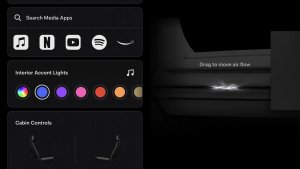
Recently, Tesla improved Santa Mode by incorporating ambient lighting into the mix. If you have a vehicle with the dash and door light strips, Tesla will cycle the ambient lighting between red, green, and white while Santa Mode is enabled.
Spread Cheer Out Loud
If your Tesla is equipped with a Pedestrian Warning System (PWS), then you can spread even more Christmas cheer. PWS allows users to play Santa Mode music through the car's external speaker. You'll know if your vehicle is equipped with the PWS if it emits a faint sound outside when travelling at low speed.
To play one of the two Christmas songs through the external speaker, activate the easter egg through the Toy Box, and turn on the slider for "Spread Cheer."
Available on All Models
Santa Musk and the Tesla elves outdid themselves with Santa Mode. It is available on all Tesla models, and when you mix it with the Light Show and Carol of Bells, it can put a smile on any Scrooge's face.