


Tesla’s Spring 2026 Software Update (version 2026.14 and later) has officially arrived, and while the spotlight is often on the newest AMD Ryzen-powered vehicles, the older Intel-based fleet is not being entirely left behind. These Intel Teslas — those equipped with the older Intel Atom (MCU2) infotainment units rather than the newer AMD chips — are still a massive part of the global fleet.
Update 2026.14.1
Percent of Fleet
Installs on Oct 31
However, as the software becomes more demanding, we are starting to see a clearer divide in which features make the cut for older hardware. This release brings several quality-of-life improvements to Intel-based Model 3, Model Y, and the "legacy" Model S and Model X, even if the flashiest visual overhauls remain exclusive to the newer computers.
Self-Driving App
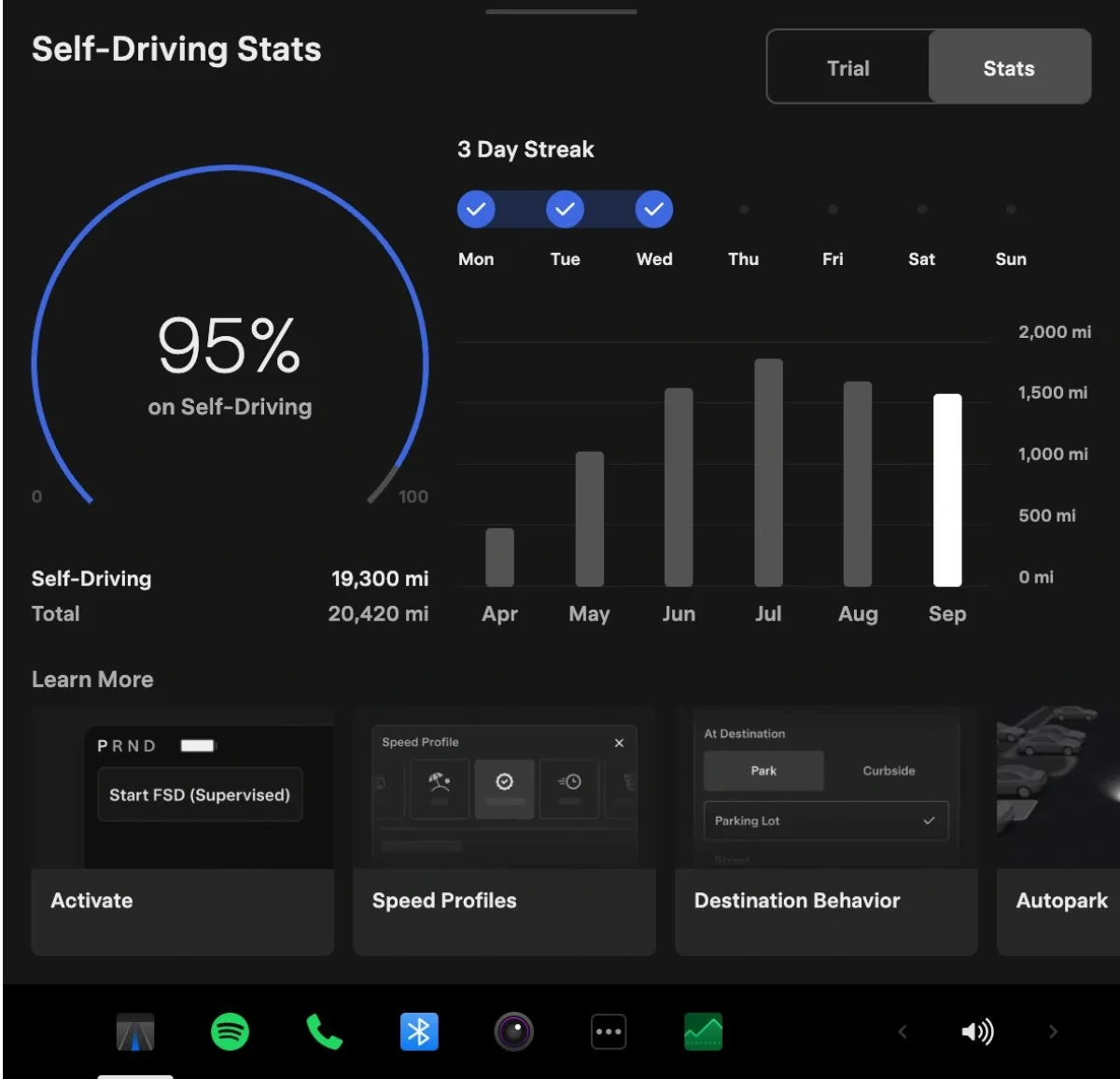
Tesla is bringing the Self-Driving app that originally debuted in Europe, when Full Self-Driving (Supervised) was recently approved for launch in the Netherlands. This software hub is designed to bring transparency to the FSD experience, allowing owners to view a detailed stats screen. You can subscribe to FSD, watch tutorials, see your FSD usage percentage, track multi-day streaks, and view bar charts of your usage over time.
Unfortunately, this feature is not coming to Intel vehicles. Tesla has limited this app to vehicles equipped with AI4 (Hardware 4) computers, likely because these vehicles can run the latest FSD versions.
"Hey Grok" Wake Word

The introduction of xAI’s assistant into the Tesla cabin is a major milestone for North America and Europe. The new "Hey Grok" wake word allows for hands-free queries and location-based reminders, such as "remind me to pick up milk when I'm near home."
This is another feature that Intel owners will miss out on. Grok itself has yet to be made available on Intel vehicles, but we’re hopeful it’ll appear in the future.
Pet Mode

In a win for older models, the rebranding of Dog Mode to Pet Mode is coming to all Intel Teslas (Model S, 3, X, and Y). Tesla is moving beyond canine-specific branding, allowing you to choose between a balloon dog, a balloon cat, or even a cyberpunk hedgehog icon to display on the screen.
The update also includes the ability to customize the screen with your pet's name. This is a great UI touch that makes the car feel more personal. Whether you have a 2018 Model 3 or a 2026 Cybertruck, your pet hedgehog can now be represented on the center display while you're away from the vehicle.
High-Fidelity Visual Updates

Tesla has introduced significantly higher-quality vehicle models for the parked vehicle screen, utilizing Unreal Engine to improve lighting and reflections. This creates a studio-like atmosphere with fog effects and spotlighting.
Because these visual improvements are so graphically intensive, they are exclusive to AMD-powered vehicles. Intel-based units do not have the GPU overhead required to render these high-fidelity models, so the "parked" screen on older cars will remain the same as on the previous version of the software.
Trip Stats and Energy Tracking

The way you track your consumption is getting a refresh. Tesla is introducing a new Trip Stats feature that replaces the old cards with more detailed graphs. This allows you to track multiple trips and swipe through "Since Charge" or "Current Drive" data easily.
This feature is available for Intel Model 3 and Model Y owners. However, the legacy (Intel) Model S and Model X will not receive these specific trip improvements in the Energy app, likely due to their vertical screens.
Blind Spot Warning Accent Lights
The new safety feature that turns the ambient lighting strips red during a blind-spot conflict is a clever use of hardware. Unfortunately, this is not available for Intel models. These older vehicles simply lack the physical ambient lighting strips found in the "Highland" Model 3, refreshed Model Y, or Cybertruck, making this a hardware-locked feature.
Interactive Rear Display Maps
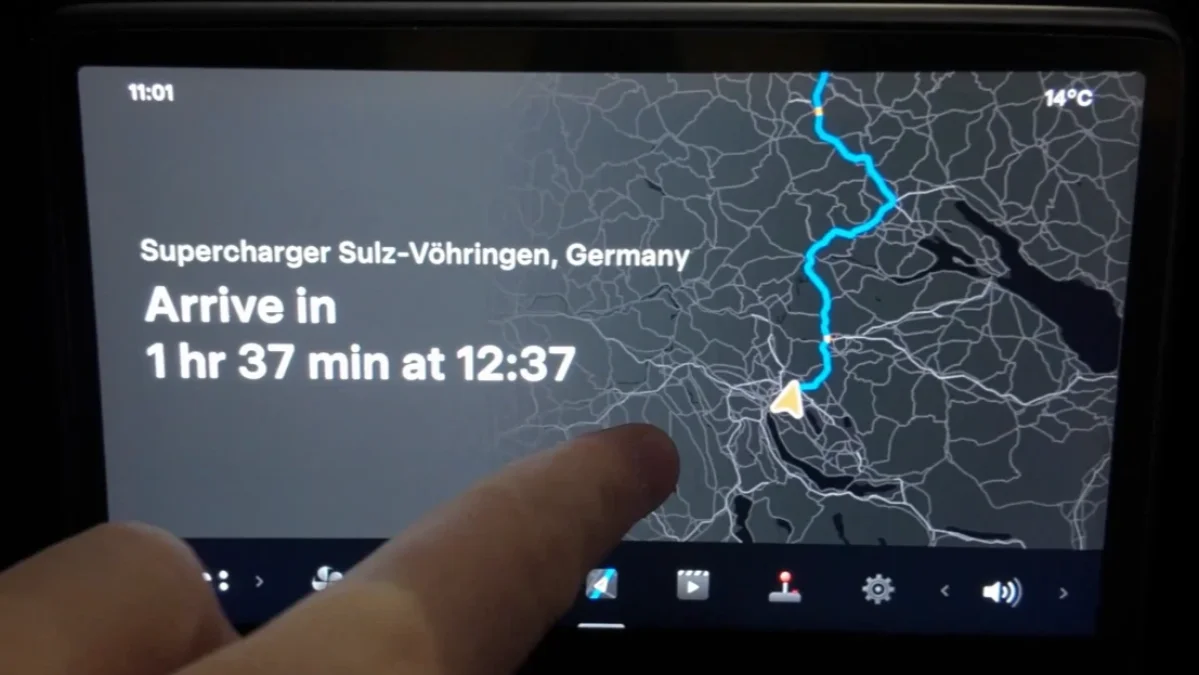
With the Spring 2026 Software Update, Tesla is bringing even more functionality to the rear passenger seats with a new Maps app icon on the rear screen. Tapping on the icon opens a completely independent map of the ongoing trip, with users being able to pan around the area and pinch to zoom. For trips with multiple stops, the rear map’s navigation route is limited to the next waypoint.
Like the blind spot warning accent lights, this feature isn’t coming to older, Intel-powered Model 3, Model Y, Model S, and Model X vehicles since they aren’t equipped with rear screens for passengers.
Premium Immersive Sound
Redesigned Model 3 and Model Y units are getting a "Premium Immersive Sound" mode that creates a more detailed soundstage. Unfortunately, this is also not coming to Intel vehicles, and is available exclusively on the new (2024+) Model 3 and new Model Y. The exclusion could be due to a different speaker array in newer vehicles.
Sketchpad Improvements

The Sketchpad is becoming more interactive with stickers and emojis that you can drag and drop onto drawings. You can also sync your sketches to the Tesla mobile app to share them or save an offline copy.
This feature is limited to AMD vehicles. Because it shares the same underlying engine as the Photobooth app — which has never been supported on Intel units — the older cars will stay with the basic, original Sketchpad.
Automatic Software Updates
Tesla is finally adding a toggle to "Automatically Install Updates" overnight. This is a major convenience for anyone who wants to wake up to new features without having to manually start the process. This feature is available for the Intel Model 3 and Model Y, but it is surprisingly absent from the legacy Intel Model S and Model X.
Do note that you won’t be able to drive your vehicle for about 45 minutes once an update starts installing, so plan accordingly.
Music App Queuing and Gestures
I really love the new queuing system! You can add songs either by swiping right or clicking the 3 dots next to a song pic.twitter.com/sPEzpBJyVU
— Max (@maxbrco) April 18, 2026
One of the best "universal" updates is the new music queuing system. Owners can now swipe right on any track in Apple Music or Spotify to add it to the queue. All Intel models (S, 3, X, Y) are getting this feature. It brings a much-needed modern touch to the media player, making the interface feel more like a modern smartphone.
What’s more, Tesla is also introducing some platform-specific music shortcuts. In Apple Music, you’ll be able to tap-and-hold on a track to add or remove it from your Favorites, while Spotify users can simply swipe left to manage their Liked Songs.
Dashcam Improvements

The Dashcam buffer has been expanded to 24 hours (from just one hour), giving owners more time to download any clips they need from their drives. You can now save any clip from the previous day for permanent storage by visiting the Dashcam Viewer in the App Launcher. There’s also a new, dedicated Save button within the Dashcam Viewer.
These functional upgrades are available for the Intel Model 3 and Model Y, but they are notably missing from the legacy Intel Model S and Model X units.
Correction: While Intel Model 3/Y vehicles receive some of the new Dashcam features like saving clips from the previous drive, they do not support 24 hour recording, even with a 1 TB drive.
Weather Maps

The Spring 2026 Software Update brings redesigned weather maps that feature a more vibrant color scheme and an improved radar view that better differentiates between rain and snow. These maps also better represent various precipitation types, and users can now access weather history for the past hour to better inform their travels.
Like the Dashcam improvements, these new weather maps are also making their way to the Intel Model 3 and Model Y, but won’t be available on the legacy Model S and Model X.
Undocumented Features
Beyond the major additions listed in the release notes, several small tweaks have made their way to almost the entire fleet. The Supercharger pricing filter, which is available in select regions and allows you to route only to chargers that have Tesla pricing and/or accept Free Supercharging credits, is available across all Intel models. The updated Keyboard logic, which syncs dictation language to your selected keyboard, is also a universal addition.
Other minor "nice-to-have" changes include the volume icon now displaying the specific app icon (like Spotify) when you adjust the audio, and Driver Profiles finally being accessible through the vehicle’s Settings menu. We expect most of the undocumented features in Tesla’s Spring 2026 Software Update, including the new “All Apps” icon in the dock, to also be available on older, Intel-powered Tesla models where applicable.
Spring Update Compatibility
Feature | AMD Models | Intel Model 3/Y | Intel Model S/X |
|---|---|---|---|
Self-Driving App | Yes (HW4) | No | No |
"Hey Grok" wake word | Yes | No | No |
Pet Mode | Yes | Yes | Yes |
Improved Visuals | Yes | No | No |
Trip Stats and Energy Graphs | Yes | Yes | No |
Blind Spot Accent Lights | Yes | No | No |
Premium Immersive Sound | Yes | No | No |
Sketchpad Upgrades | Yes | No | No |
Rear Screen Interactive Maps | Yes | No | No |
Auto-Software Updates | Yes | Yes | No |
Music Queuing Gestures | Yes | Yes | Yes |
Dashcam Improvements | Yes | Yes | No |
Weather Map Improvements | Yes | Yes | No |
Supercharger Pricing Filter | Yes | Yes | Yes |
Keyboard Dictation Language | Yes | Yes | Yes |
A Solid Release for Older Hardware
While it is clear that the Intel Model S and Model X are being treated as "legacy" vehicles with fewer new features, the Intel Model 3 and Model Y continue to receive significant functional updates. The expanded Dashcam buffer and new weather maps are useful, high-value tools that improve the car’s utility regardless of its age.
As Tesla pushes further into AI and high-end graphics with its AI5 and AI6 chip development, we should expect the gap between older and newer models to widen. However, for a fleet of cars that are in some cases eight years old, receiving a fresh UI and better music controls in 2026 is a testament to Tesla's software-first approach.
Follow Us on Google
Add Not a Tesla App as a preferred source on Google to see more of our stories in Top Stories.
Add to Preferred Sources









