Tesla officially dropped its new Cybercab First Responder Interaction Plan over the weekend, giving us a much closer look at how this purpose-built robotaxi actually operates. Up until now, we have mostly had to guess how the world is meant to interact with a car that has zero physical driving controls. The new emergency guide explicitly clarifies that the production version of Cybercab is a fully autonomous vehicle with no steering wheel, pedals, or traditional human overrides.
With validation testing ramping up ahead of deployment, this new documentation makes it feel like public Cybercab rides on Tesla’s Robotaxi network are getting really close. Production lines have already been busy turning out a mix of steering wheel-less Cybercabs and early engineering units with steering wheels, but the ultimate goal remains entirely driverless. The regulatory path is also smoothing out since NHTSA recently dropped its brake pedal requirement for autonomous fleets. Let’s dive into how the interior mechanics of the Cybercab differ from the consumer cars we drive today.
Doors
Getting in and out of the vehicle is pretty different compared to a standard Model 3 or Model Y. On a consumer Tesla, you open the door from the outside by pressing the wide part of the handle and pulling on the narrow part that pivots outward. From the inside, you just push the electronic button at the top of the door handle grip.
The Cybercab changes all of that by introducing Tesla’s new one-button interior door release design. To pop the doors open from the outside, you simply press a dedicated button located on the B-pillar that features a horizontal white line.

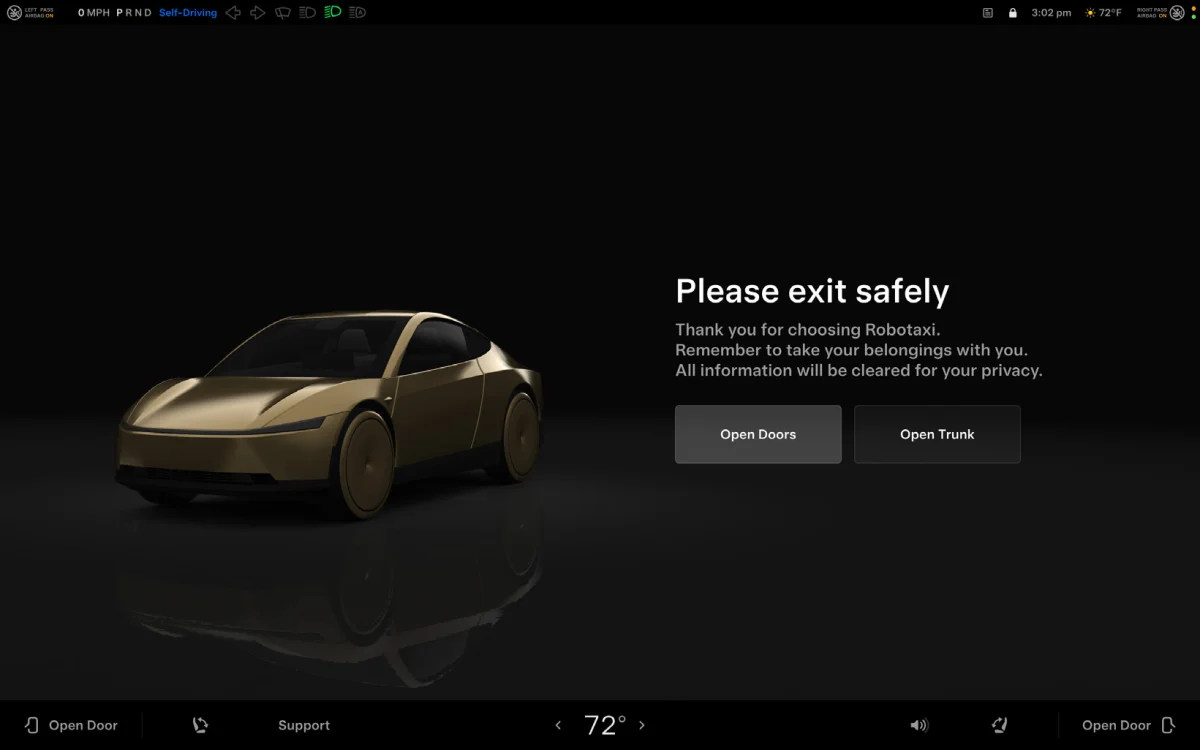
Under normal circumstances from the inside, you can open the doors by touching the main Open Doors button on the center screen, or by tapping one of the two separate Open Door buttons positioned in the bottom corners of the display for each side. Passengers can also choose to lift the physical door handle located on the interior door panel.
If the vehicle completely loses low-voltage electrical power, the exit method changes. The new interior handles feature two distinct detents, where pulling the handle all the way up to the second detent acts as the emergency door release. Passengers must completely lift the handle to engage this mechanical override, then manually push the door outward and upward.

Because the unpowered doors won’t stay up on their own, you have to hold or prop them open so they don’t slam shut. As a neat accessibility feature, these new interior handles also feature braille text for visually impaired riders.
Seat Controls and Adjustment
Tesla is completely changing how seat configurations work inside this cabin. On the standard consumer vehicles we are used to, the front seats offer maximum freedom of movement. Drivers and passengers can adjust their positions using the physical switches on the side of the seat base, through the central touchscreen, or even the steering wheel scroll wheels.
The robotaxi trims down on these adjustment mechanisms to save on weight and complexity. The seats are fully electric, but they can only be manipulated through the central touchscreen when low-voltage power is available. Instead of individual controls, riders can slide both seats forward or backward at the same time, or adjust the incline and recline of each individual seat. Having fewer adjustment options makes a lot of sense here — fine-tuning a perfect driving position just isn’t a priority when you won’t actually be driving the vehicle.
Windows
The layout for rolling down the glass has also been completely centralized. If you are riding in a Model 3 or Model Y, you can control the windows using the dedicated switches located on each door armrest. You can also roll them down using the mobile app or via voice commands.

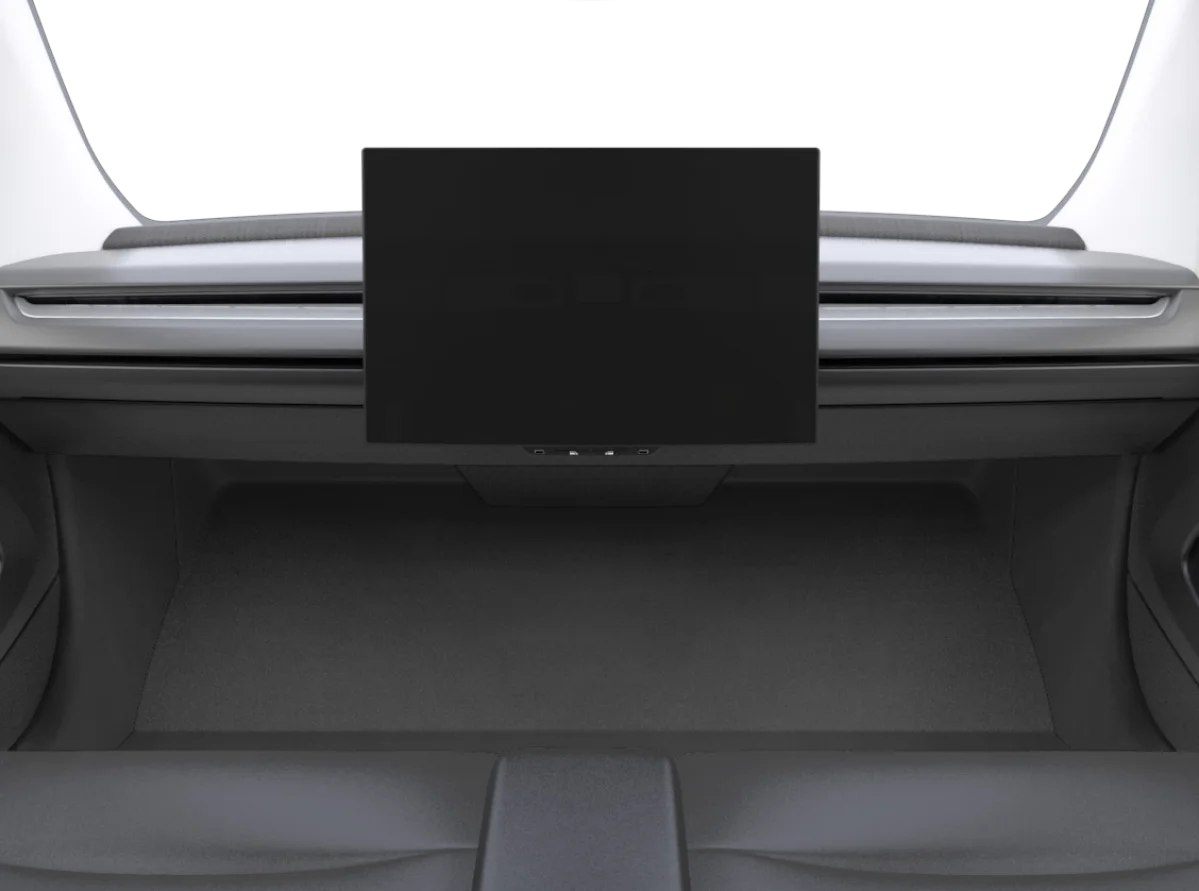
In the Cybercab, the door panels are rather bare. The physical window switches have been moved away from the side panels and are now situated directly underneath the central touchscreen. Just like the seats, these windows require active low-voltage power to function. It will be interesting to see if future updates bring voice command support (or even Tesla’s full Grok AI assistant implementation) to the Cybercab as the fleet rolls out.
Trunk
The rear cargo area follows a similar theme of digital-first access. On a consumer Tesla, you can open the trunk using the mobile app, the main touchscreen, or by pressing the physical button on the exterior liftgate handle.
To open the rear cargo area on Tesla’s dedicated robotaxi, you can either tap the associated Open Trunk button on the display or press the electronic switch hidden under the exterior trunk handle, which features open-trunk iconography. Tesla’s first responder guide implies that both of these methods are tied entirely to active low-voltage power.

The Cybercab has a spacious trunk for riders to store their luggage in, along with a brand-new interior trunk camera to ensure nothing gets left behind. According to recently published EPA filings, the Cybercab has a maximum weight limit of 617 lbs (about 280 kg) for passengers and cargo combined.
As Cybercab mass production continues to ramp up at Gigafactory Texas, it remains to be seen if the Robotaxi app will also give riders a button to pop the trunk remotely as they approach or exit the vehicle. The specialized layout of the Cybercab’s door, window, seat, and trunk controls shows that Tesla is fully committed to simplifying its platform for high-volume commercial use.