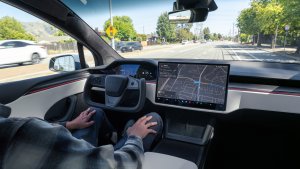
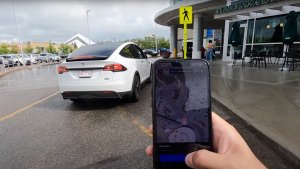
The new Model S and Model X vehicles will automatically choose whether to shift into drive or reverse for you. The cars will decide which direction it should shift into based on various factors, including camera input, nearby obstacles and the way you drove in before parking.
We have known that there would be a manual override on the screen, but up until now we haven't known exactly how it would be executed. Thanks to a recent tweet, we now have video of exactly how Tesla will accomplish this.
By dragging the car icon in the left column up or down will shift the car into Drive or Reverse. It actually looks quite slick and intuitive.
Some may wonder what about shifting into Park or Neutral. Well, we have part of that answer and we can speculate on the other part. From our previous article that showed off v11, we know that this car icon is also a quick actions button that brings up buttons to perform other functions, like the ability to open the glove box. One of the options included is the ability to put the car into neutral.
We speculate that setting the car to Park will be done automatically. Much like it does it on current vehicles today. If you press the brake pedal and the car comes to a complete stop, the car will be put into 'Hold.' At that point if you attempt to open any door, the parking brake is automatically triggered. We believe this is how the new Model S and X vehicles will behave by default.
Ok, so this is how u change gears on the new S/X ??@elonmusk @tesla pic.twitter.com/dXtsSzQBAS
— Michael Hsu (@hsumacher) March 24, 2021
Drivers will have the option to disable automatic shifting into Drive and Reverse and can manually choose their choice of direction manually each time.
It looks like details on v11 continue to be released every day. We hope this means that the official release is almost upon us.