Following the popularity of our Tesla lock sounds library (added three new ones as well), we’re launching another way to personalize your Tesla. Our new license plate visualization generator lets you browse state plate designs, add your own text and download an image for use in your vehicle.
Find Your State’s Plate
We’re launching with designs for all 50 U.S. states. You can browse the collection, search for your state or sort plates by name, newest additions or popularity. There’s also a favorites option for keeping track of designs you like.
Choose a background that matches your actual plate, or pick another one for fun. Each plate can be downloaded blank or with custom text (best Tesla vanity plates) or use your own license plate.

Add Your Own Text
Select Customize to enter your plate number, your Tesla’s name or another short message. Our license plate customization feature uses the appropriate text separators for the required states and similar fonts as the actual license plate.
Using your actual plate number also gives you a handy reference when viewing your vehicle in the car. If you prefer a blank background, simply download the plate without adding text.
The generator will handle the format and image size so that it’s a perfect fit for your vehicle. Simply add it to your vehicle’s USB drive.
Bring It Into Your Tesla
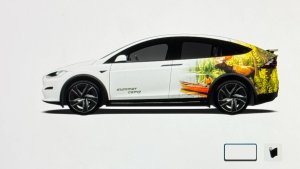
Tesla introduced license plate customization on Cybertruck with the 2024 Holiday Update, then added it to all other models through the Paint Shop feature in the 2025 Holiday Update.
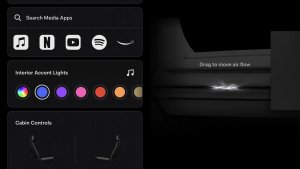
To use your licence plate image, place the PNG file inside a folder named LicensePlate at the top level of your vehicle’s USB drive. Reconnect the drive, then open Toybox, Paint Shop and the license plate customization options to select your image as the background. We highly recommend using a USB extension like this one, which only costs a few bucks and makes removing and plugging in your USB drive much easier.
If your downloaded image already contains text, leave Tesla’s separate plate text field empty to avoid adding another layer.
More Countries to Come
The initial collection focuses on U.S. plates. We plan to add Canada and other countries as time allows.
If you notice an issue or have a request for a missing design, let us know. Explore the license plate generator and make your Tesla yours.