



Remove Vehicle Keys From App
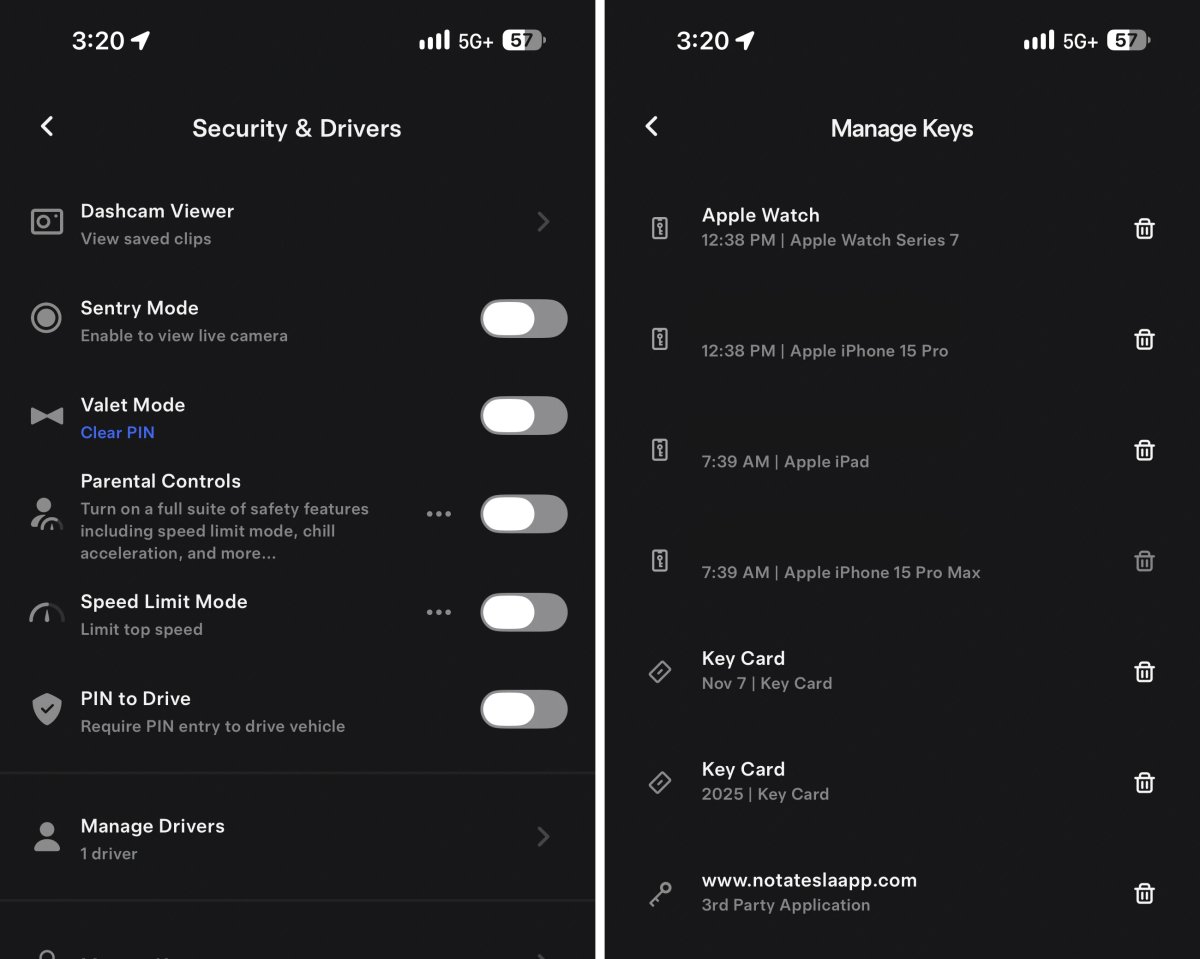
Under Security, Tesla has added a new option to manage vehicle keys. Vehicle keys are any devices that have access to your vehicle, even if Phone Key isn’t enabled. These could be key cards, phones, other devices or Tesla’s telemetry service for third party services.
In addition to being able to delete the key directly from the Tesla app, you no longer need to use an active key card to confirm the deletion. As long as you are the owner of the vehicle (as opposed to someone sharing a vehicle with you), and have your device set up as a Phone Key, you can now delete unused keys without any additional steps.
FSD Referrals
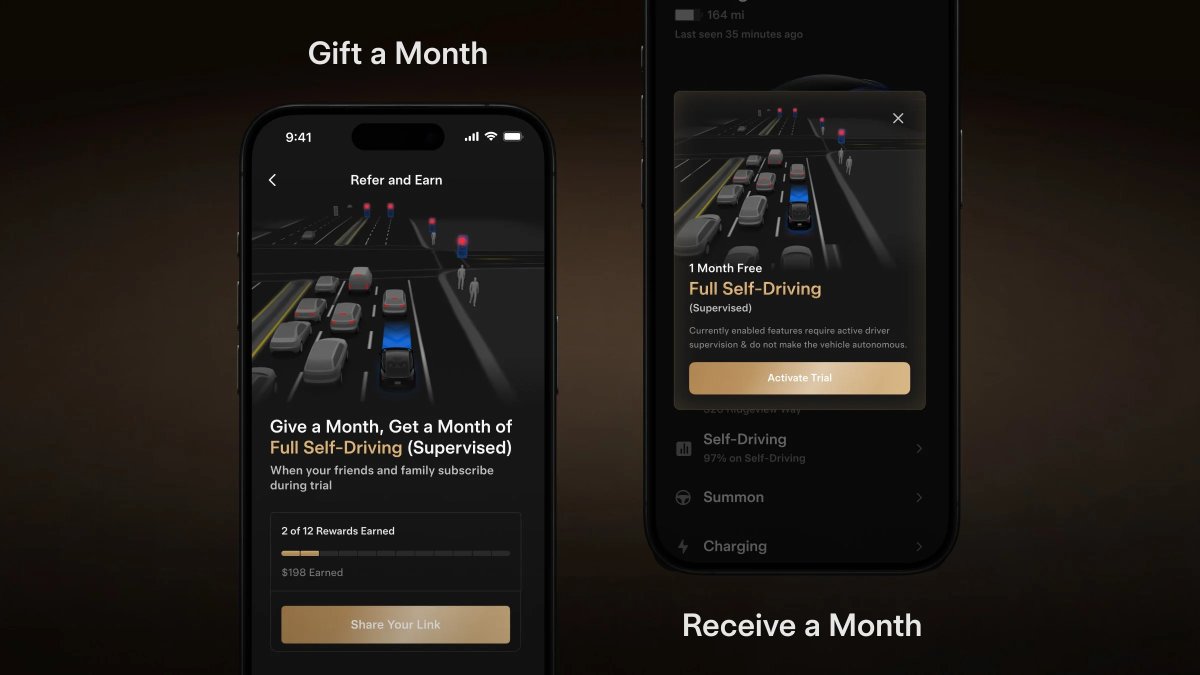
Tesla has swapped out the vehicle referral program in the United States for FSD referrals. Owners can now earn $99 per FSD referral.
Similar to the older program that gave owners a $250 credit to spend on Tesla services or products, This program is also limited to 12 referrals per calendar year.
If you subscribe to FSD, you’ll automatically get a free month of FSD and can choose which vehicle it applies to. If you bought FSD, then you get a $99 Tesla credit to use at the Tesla Shop, charging or service.
Reset Phone Key
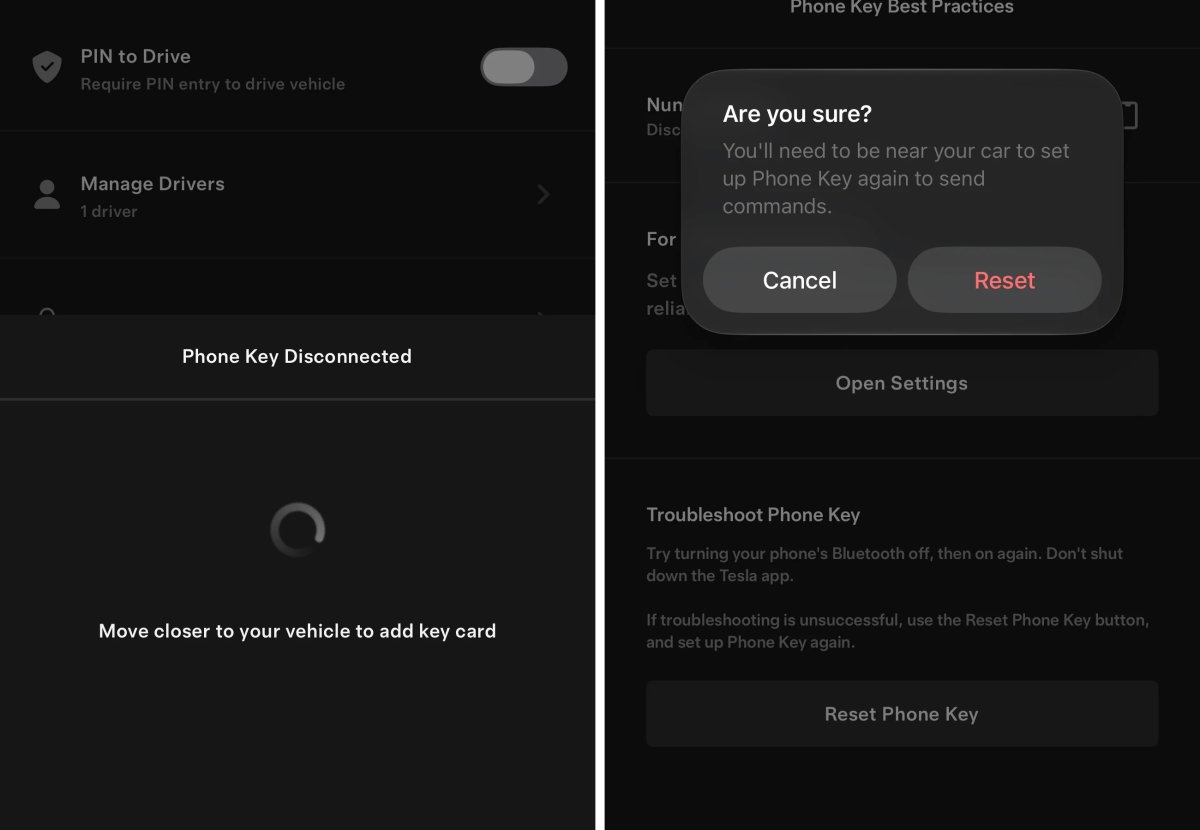
Under Security and Phone Key Best Practices, you can now reset a phone key if you’re having difficulties with it.
You will need to be near the vehicle in order to perform this action.