Tesla has added the ability for drivers to manually pre-condition their battery for fast charging. The feature arrives with software update 2026.44.3.1, which began rolling out this morning, November 26.
We recently spotted the upcoming feature in our Tesla app 4.63.0 decompile and reported on the upcoming feature. We thought Tesla might save it for the holiday update, but owners are getting it a little sooner.
Tesla probably would have liked to include this feature sooner, so it would be available in time for the busy Thanksgiving holiday in the United States. This feature can help reduce Supercharger wait times and therefore also reduce Supercharger congestion during busy travel days. The feature was originally included with update 2026.44.3, but it didn’t become publicly available until 2026.44.3.1.
In the Vehicle

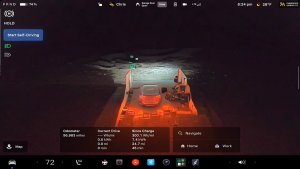
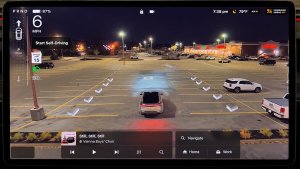
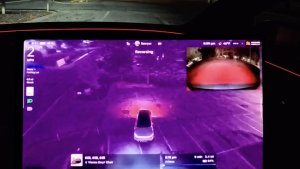
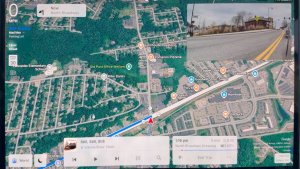
In the vehicle, you can precondition your battery for fast charging at any time. Go to Controls > Charging, and you’ll see a new button under Open Charge Port that says Precondition for Fast Charging. Preconditioning is only needed for DC charging, and conditioning your battery for home charging won’t make a difference unless the vehicle has been left out in extreme cold.
Once you enable preconditioning, you’ll see a meter that shows your battery’s preconditioning progress. Thanks to Paresh for sending in these photos.
Tesla App

You can also start preconditioning through the Tesla app before driving to the charger. Similarly, the controls for preconditioning the battery are under Charging, where you can start or stop preconditioning. However, the app does not display a progress meter.
You’ll need app version 4.63.0 or newer and vehicle software 2026.44.3.1 or newer. Updating the app alone won’t add the feature.
Tesla recommends starting about one hour before charging. Once the battery reaches its target temperature, the vehicle maintains it for 30 minutes.
How Preconditioning Works
Preconditioning brings the battery to its optimal temperature for DC fast charging, helping reduce charging time. Tesla already does this automatically when you navigate to a Supercharger, and supported third-party fast chargers can trigger it too.
However, if your Supercharger is less than an hour away, the battery may not have enough time to warm up during the drive. Adding the ability to manually precondition the battery gives drivers more control and also helps when a third-party destination doesn’t trigger automatic preconditioning.
Shorter charging sessions also help free up busy stalls sooner. However, there are several factors that determine a vehicle’s charging speed, with the main one being the battery charge level. Lower battery levels allow the vehicle to receive much more power, which is why it’s recommended to arrive at a Supercharger with 20% or less of a charge.
Who Gets It?
This feature is available to everyone on all vehicles and hardware, including the legacy Model S and Model X, as well as the Cybertruck. For owners who rely on nearby Superchargers or third-party charging, this is a very welcome addition that should make charging a little quicker.
Follow Us on Google
Add Not a Tesla App as a preferred source on Google to see more of our stories in Top Stories.
Add to Preferred Sources