



Tesla App 4.51.0 Release Notes

Weather Visualizations
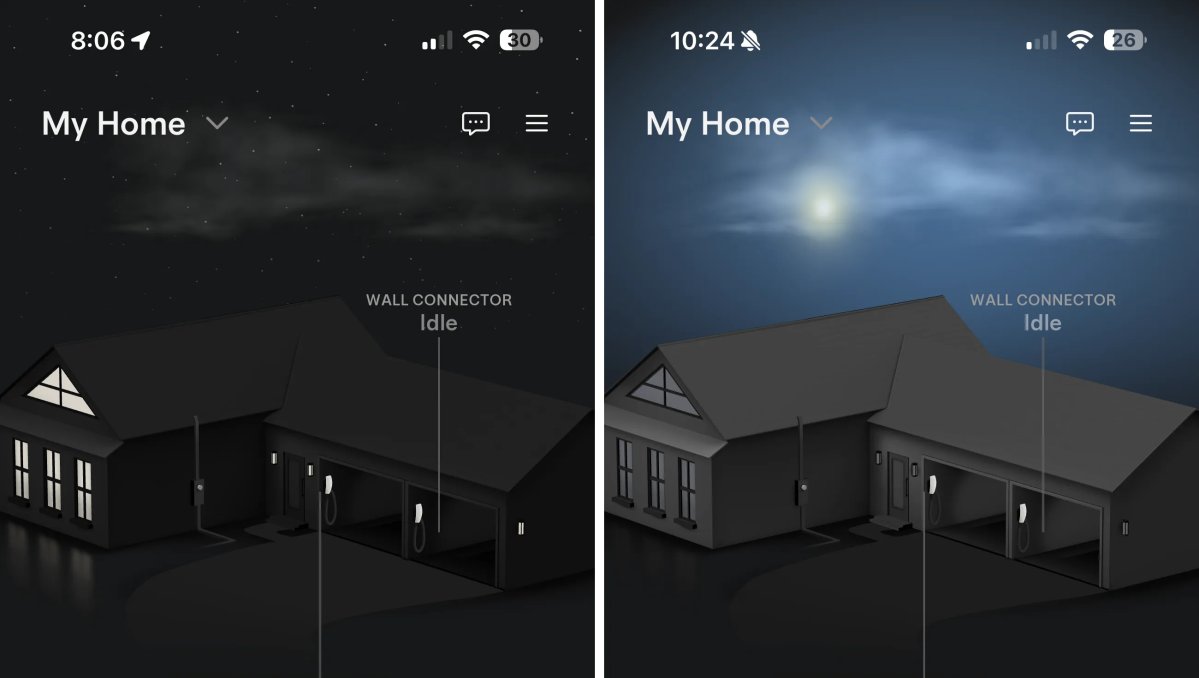
Tesla Weather Visualizations feature in update 4.51.0

The biggest addition in this Tesla update is the new weather visualizations in Tesla Home. If you have any Tesla Home products, including a Wall Connector, Powerwall, or Solar, you’ll now see real-time weather visualizations in the Home section.

The visualizations are beautifully animated and match the current weather and time for the area, displaying clouds, rain, the sun, and falling snow — all appropriate for the given time of day. There is a lot of detail here, as the sun will move across the sky as the day progresses.

If you have more than one Wall Connector, the Home visualization has also changed to display a home in addition to two garages.

Gift Shop Items
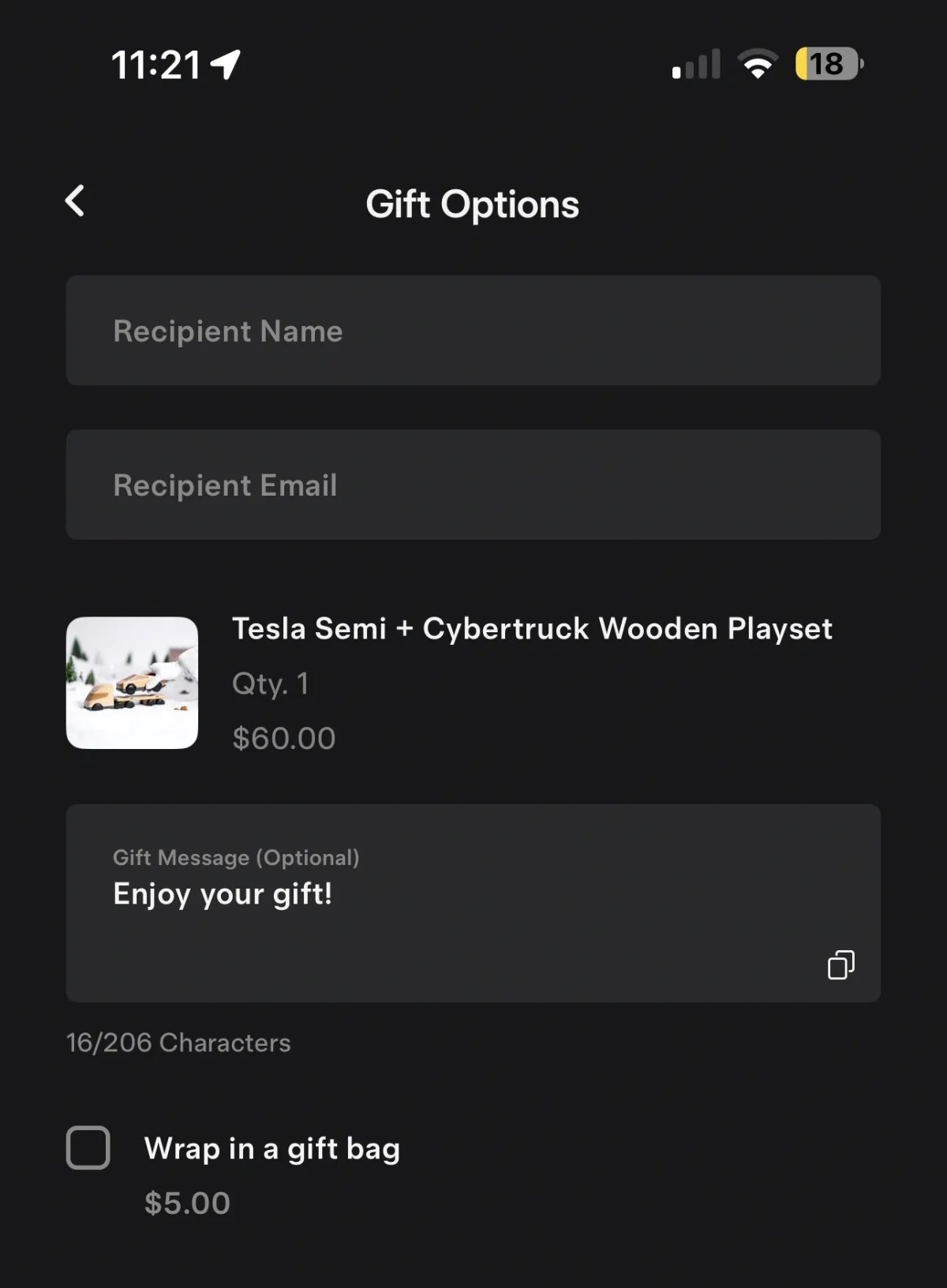
Tesla Gift Shop Items feature in update 4.51.0
Undocumented
Undocumented

Tesla has added the ability to gift items from the Tesla Shop directly to others. After adding an item from the Shop to your cart, you’ll now have the ability to send the item as a gift.

Tapping on the Send as a Gift option will let you enter the recipient’s name, email address, and a gift message.

In addition, Tesla is also offering users the option to deliver the gift in a gift bag for an additional $5. Buyers can choose to ship the items directly to themselves to gift, or directly to the recipient.

Earlier this month, Tesla announced that it would let users gift FSD subscriptions. While FSD subscriptions aren’t in the Shop yet, Tesla has chosen a more general approach and instead will allow users to gift any item. Expect a “FSD subscription gift card” to be added to the Shop in the coming weeks.

Hebrew Support
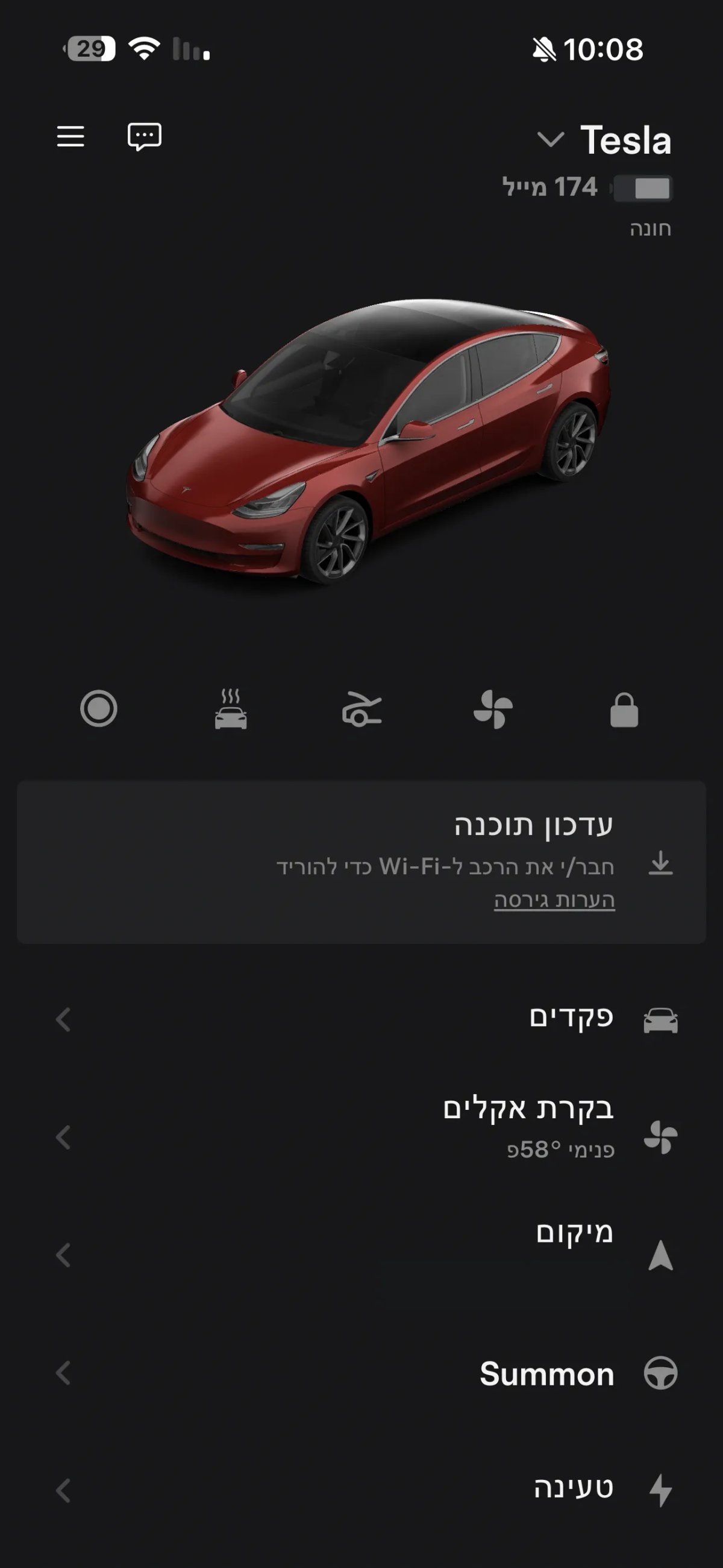
Tesla Hebrew Support feature in update 4.51.0
Available Worldwide
Undocumented
Models:
S
3
X
Y
CT
Undocumented

During Tesla’s 2025 shareholder meeting, Tesla said it’d add Hebrew support to their Tesla app. Less than two weeks later, Tesla now offers a fully localized version of the Tesla app in Hebrew.

Tesla already supported Hebrew in its vehicle software, which was added with update 2023.32. Hebrew is read from right to left, so it’s harder to localize than most languages.

Key Cards
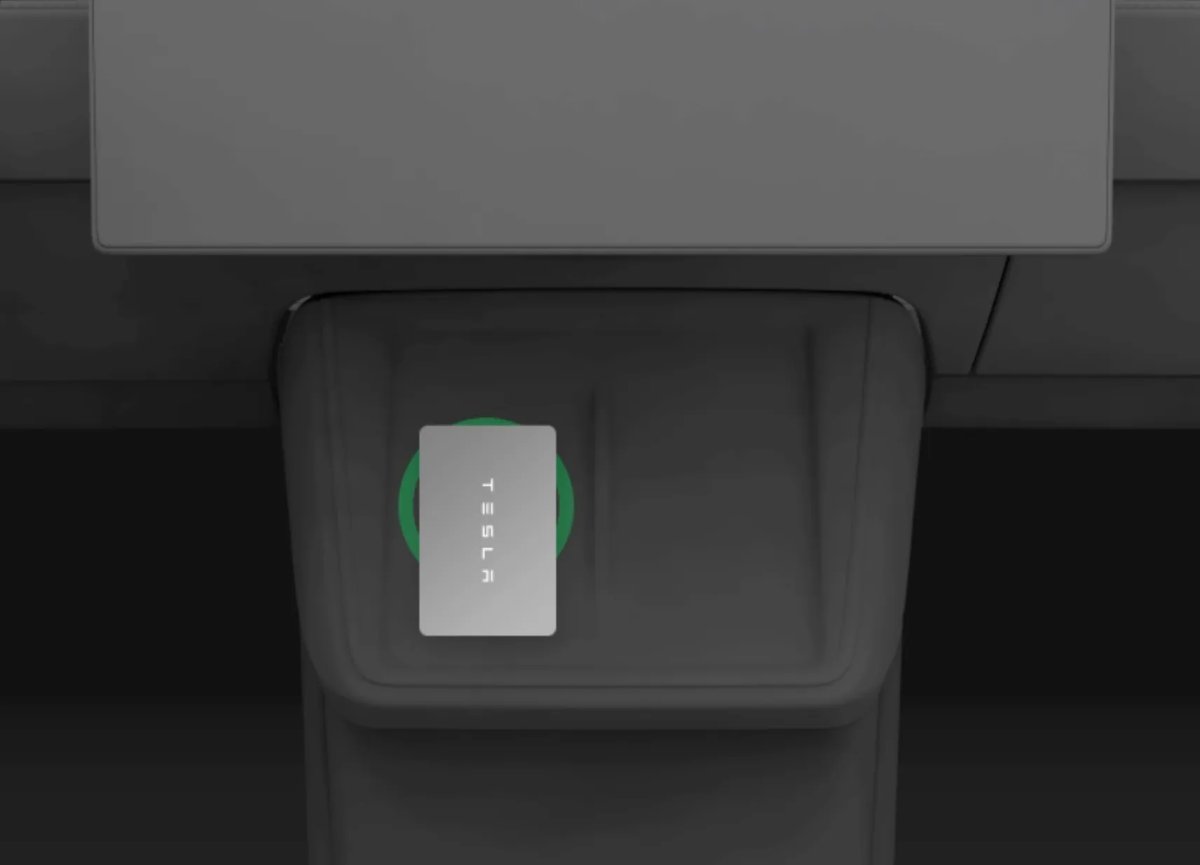
Tesla Key Cards feature in update 4.51.0
Available Worldwide
Undocumented
Models:
S
3
X
Y
CT
Undocumented

Tesla added a new animation that shows users how to start their vehicle using a Tesla key card.
Tesla App 4.50.5 Release Notes

New Charging Menu

Tesla New Charging Menu feature in update 4.50.5
Available Worldwide
Models:
S
3
X
Y
CT

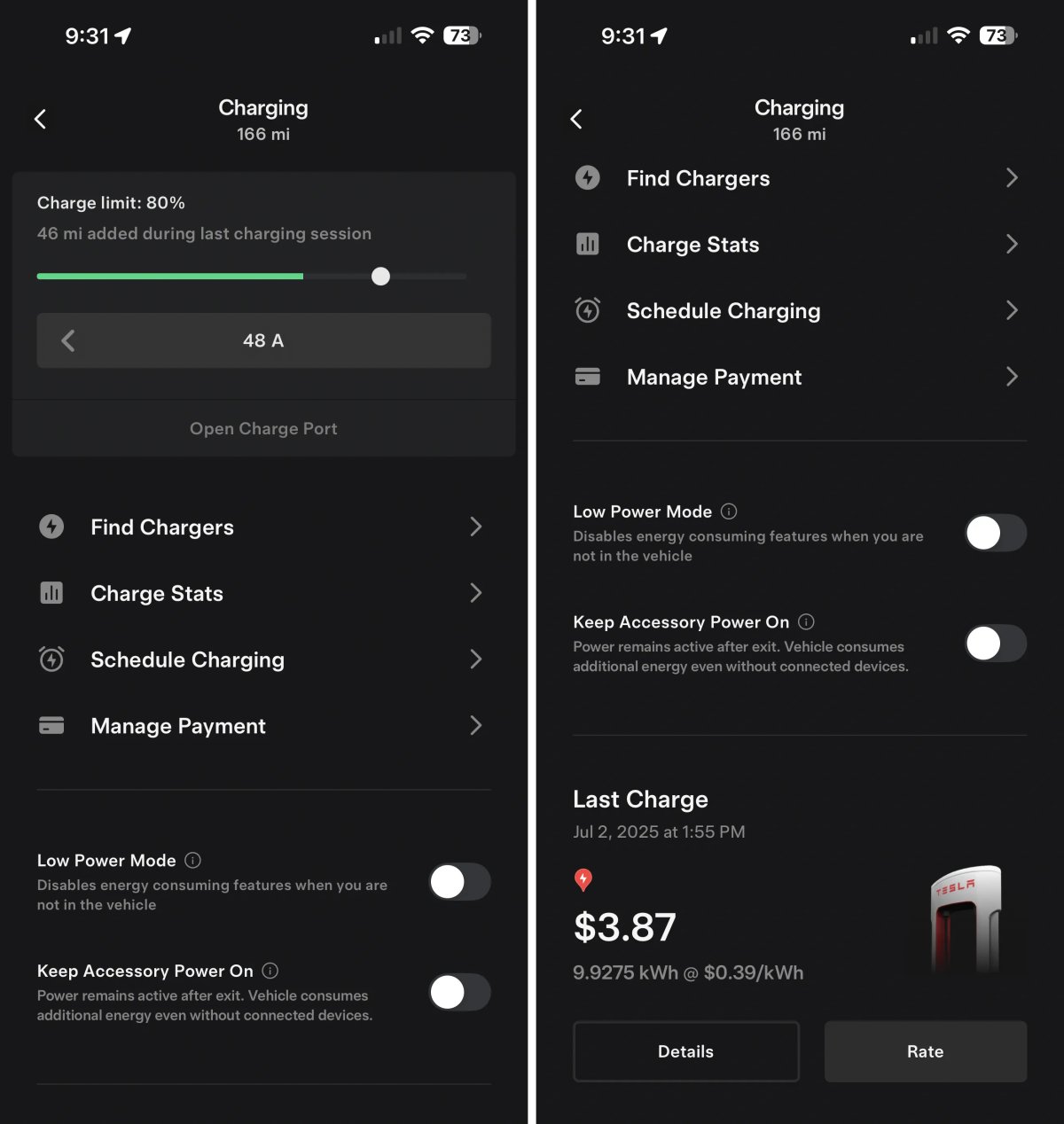
Tesla has added a new Charging section to the Tesla app. This new section consolidates most charging details from other parts of the app and adds a couple of new features.

At the top, you have the vehicle’s current range and the charge meter, which is still also available on the app's main screen when you tap the battery or charge icons.

Underneath, you'll find other charging-related menus that have been consolidated here. For example, instead of having to go to Location to find nearby Supercharger, you can now tap Find Chargers here, but it simply opens up the same Location section of the app.

You’ll also see Schedule Charging and Manage Payment. These functions still exist in their original locations in the app as well. However, Charge Stats have been permanently moved to this new Charging section rather than being available at the top level of the app.

Below this menu, you now have easy access to turn Low Power Mode on or off, which was previously only available as a quick action icon (Did you know you can have up to five quick actions?).

Underneath that, you have a new feature, the ability to manage the ‘Keep Accessory Power On’ feature through the Tesla app for the first time. This new feature requires that your vehicle be on update 2025.38 or higher, so users with FSD V14 (aside from the Cybertruck) won’t see it just yet.

Tesla also displays your last Supercharger session at the bottom in a big, beautiful card.

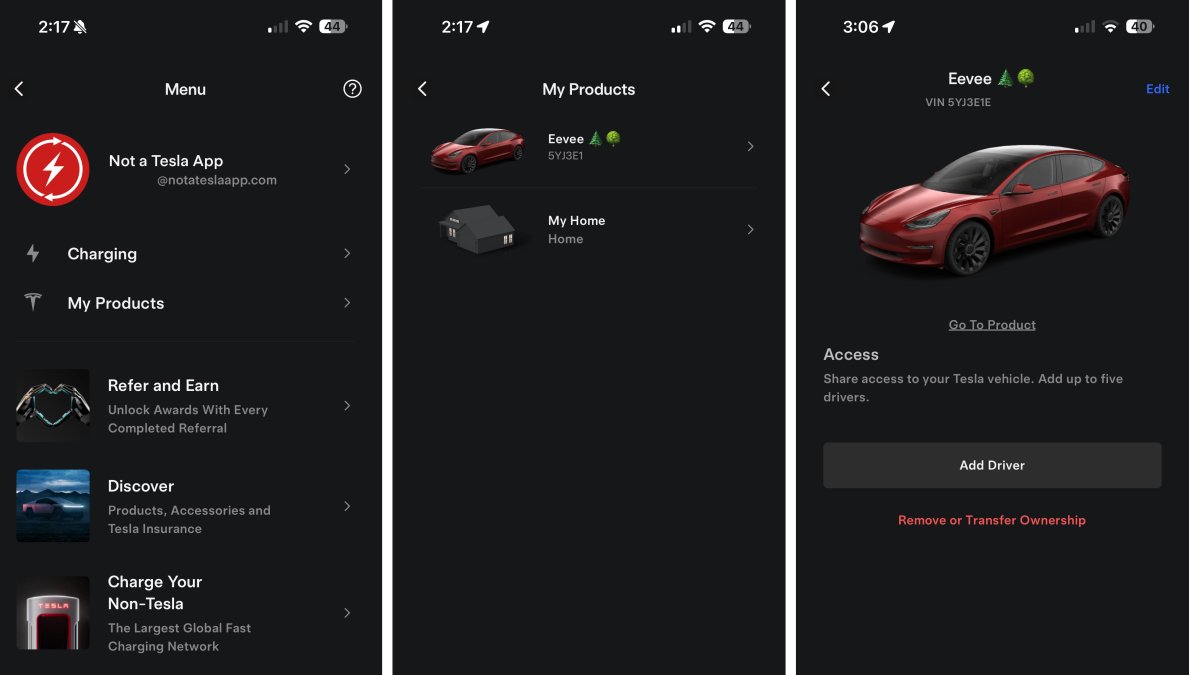
The old charging section is still available by tapping Menu > Charging, which includes a few options that aren’t under the new Charging menu, such as Supercharging history and charging for non-Tesla EVs. We’d love for these features to move over to the new Charging section of the app, so that there’s a single Charging section in the Tesla app, but we’ll likely see that happen over time.

Support for New Marine Blue Color

Tesla Support for New Marine Blue Color feature in update 4.50.5
Undocumented
Models:
New Y
Undocumented

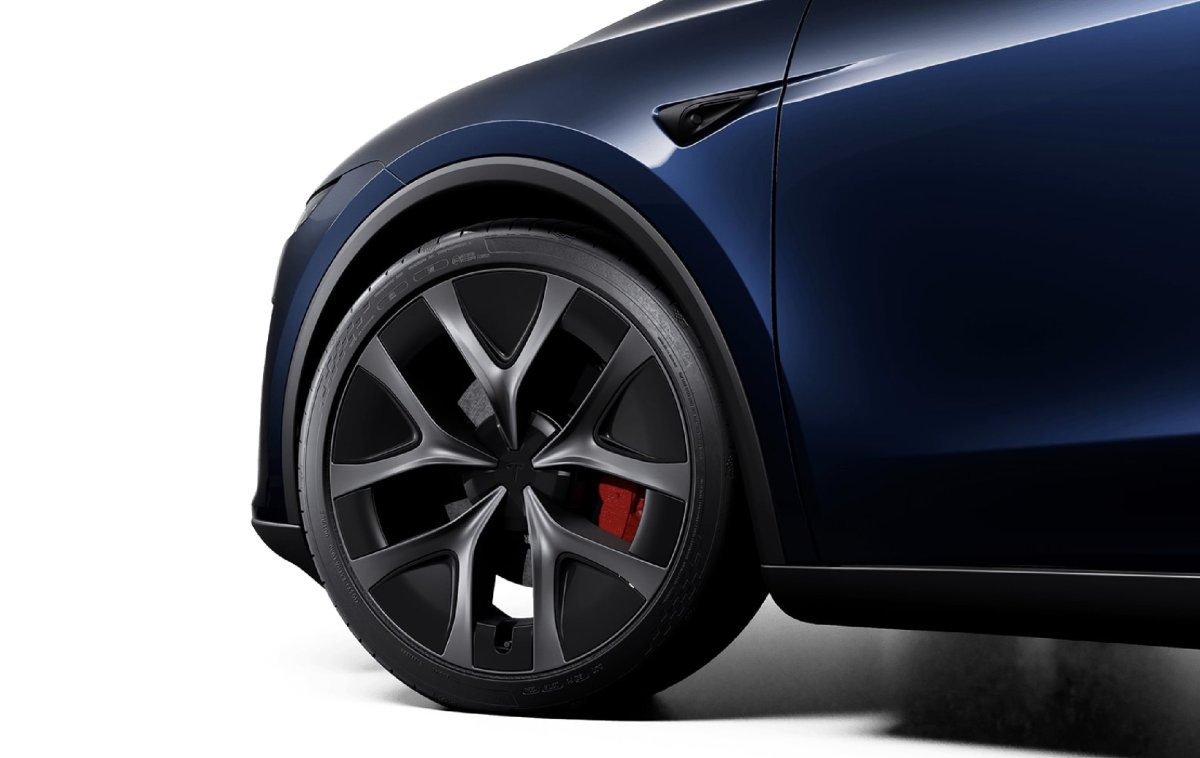
The Tesla app now supports the new Marine Blue that’s available on some Model Y trims in Europe and the Middle East.

New Model S Efficiency Package

Tesla New Model S Efficiency Package feature in update 4.50.5
Available Worldwide
Undocumented
Models:
New S
Undocumented

Tesla is introducing a new efficiency package for the 2026 Model S. The current efficiency package for the 2026 Model S is MS2026 , but Tesla is now adding support for MS2026B. However, it’s not clear what changes to the vehicle will be made.

Powerwall & Wall Connector Release Notes

Tesla Powerwall & Wall Connector Release Notes feature in update 4.50.5
Available Worldwide
Undocumented
Undocumented

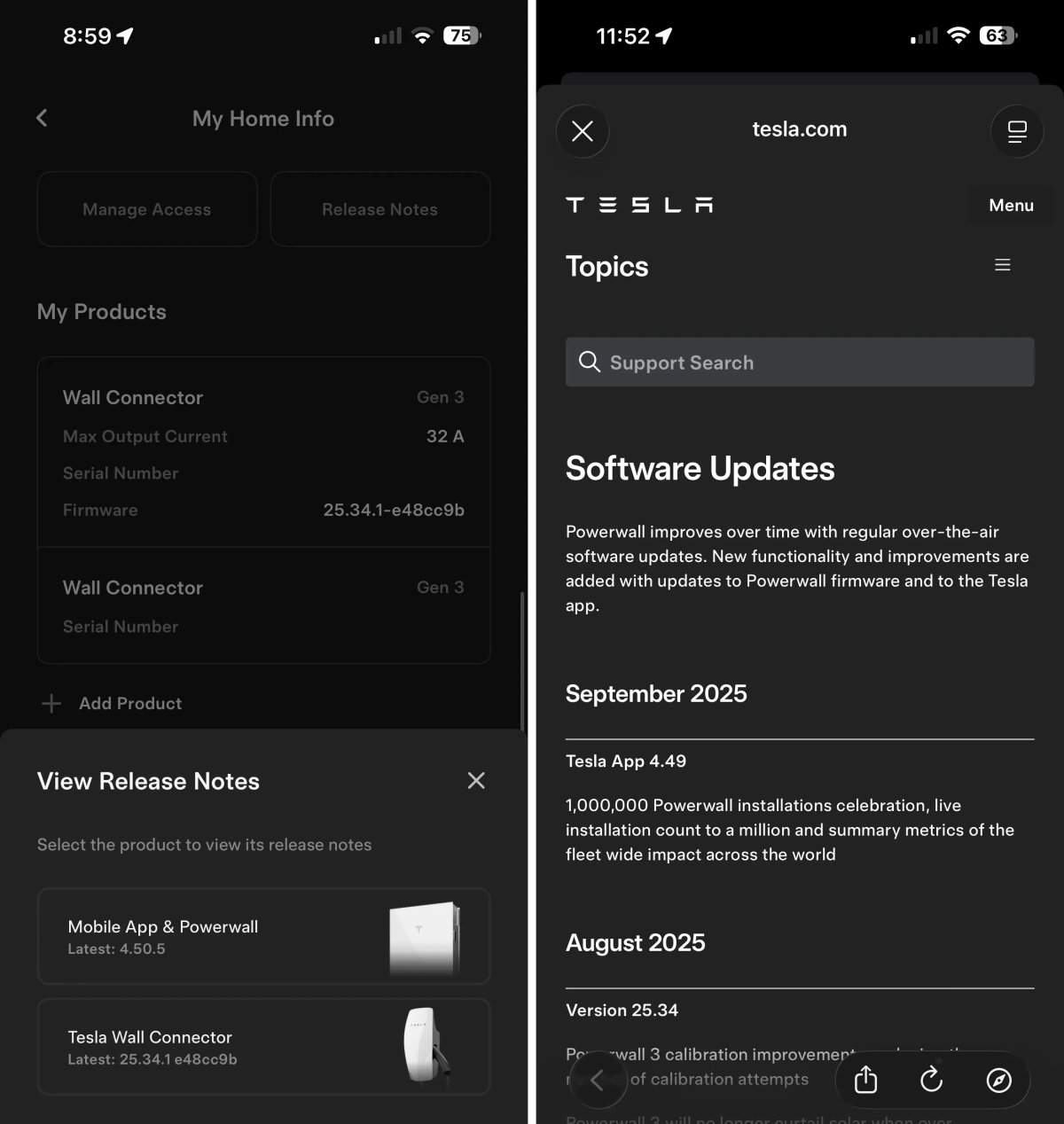
In the Home section of the app, there are now additional options when you tap on Release Notes in the My Home Info section.

Users will now be presented with a menu to pick between the Mobile App & Powerwall and Tesla Wall Connector release notes. The corresponding release notes are opened up in a webview. However, Tesla doesn’t update these release notes very often.

Tesla App 4.50.0 Release Notes

Tire Center

Tesla Tire Center feature in update 4.50.0
Undocumented
Undocumented

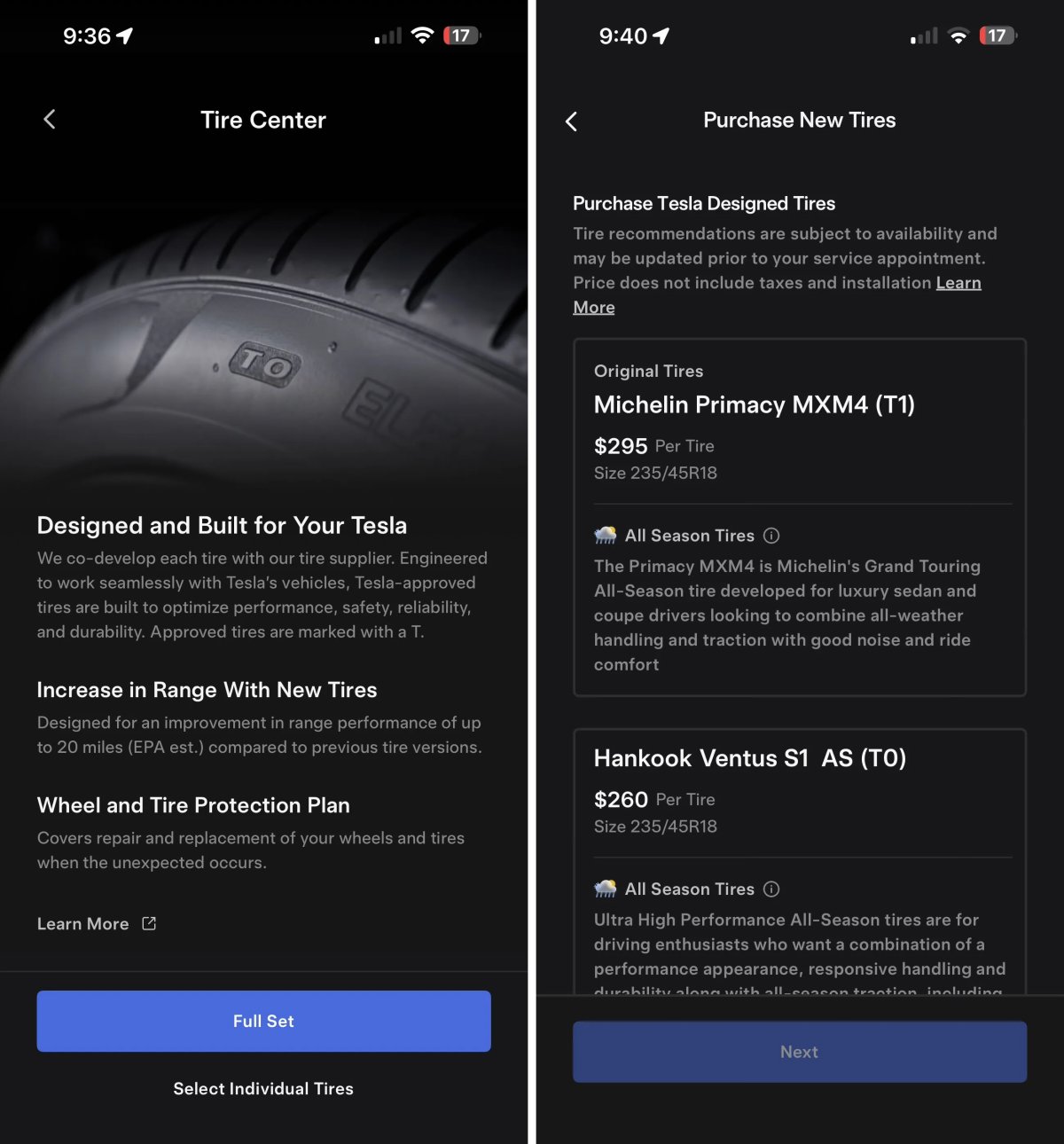
Tesla’s new Tire Center helps you find the right tires for your vehicle. After selecting your tire size you’re presented with available options that can be purchased and installed by Tesla.

Tire Center is available in select regions, including the United States, and can be found under Service > Tire Center.

Using

Tesla App Screen Sharing

Tesla Tesla App Screen Sharing feature in update 4.50.0
Credit default
Undocumented
Undocumented

We recently discovered that Tesla is adding the ability for customers to remotely share their vehicle’s screen to help solve issues.

This app update reveals that Tesla is working on a similar feature for the Tesla app. The Tesla app states: “Would you like to share your Tesla app screen with a representative? They will see only the app to guide you.”

Other phrases found in the app related to screen share include: Resume Screen Share, Would you like to stop or resume screen sharing? , and Starting Screen Share.

This feature does not appear to be live in the app yet.

Powerwall Calibration

Tesla Powerwall Calibration feature in update 4.50.0
Undocumented
Undocumented

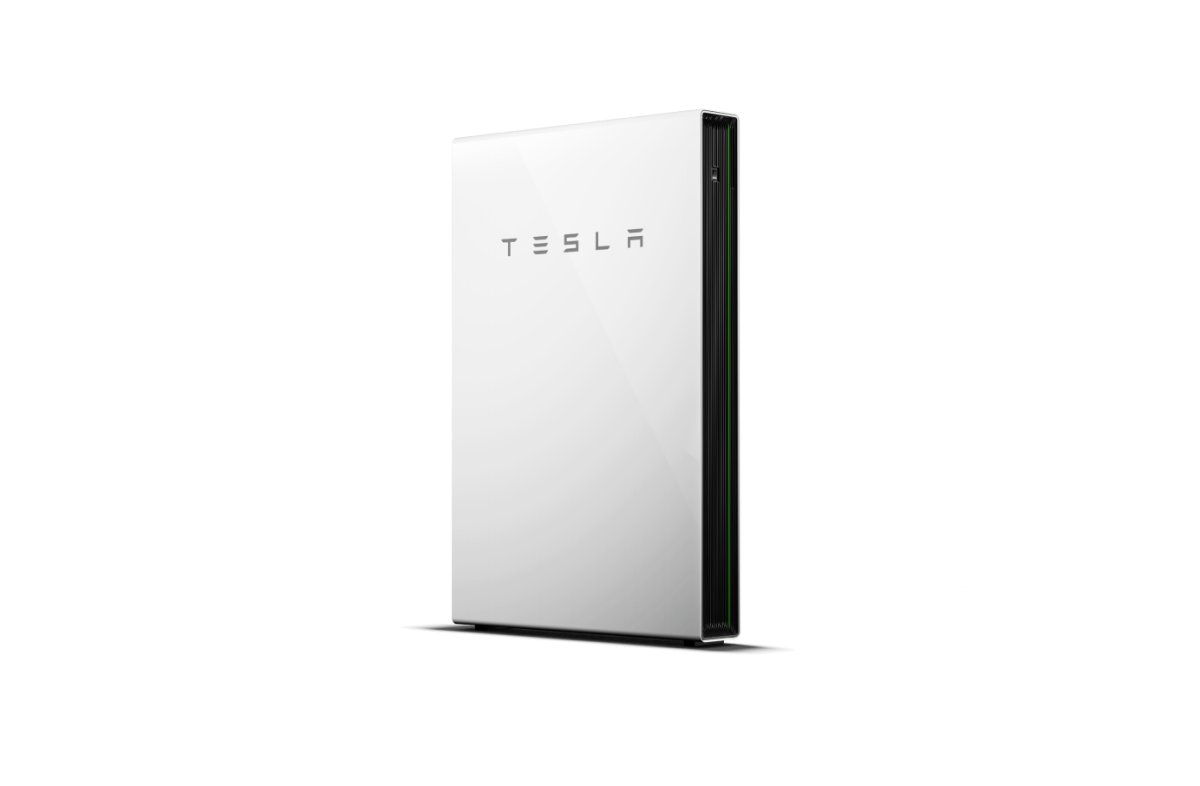
Tesla is adding an option to calibrate your Powerwall. The app states: “Powerwall calibration is required for ideal performance of your system. Tesla strongly recommends you allow calibration to continue. You can delay calibration if you require your Powerwall to resume normal operation for critical events like an upcoming planned grid outage.”

Users will be given the option to delay the calibration, but sometimes it appears that it will be required, with phrases found in this update that state: “You are unable to delay this calibration.”

The calibration process, which improves charge level accuracy and optimal battery performance, can take up to 72 hours, according to Tesla.

Message Center

Tesla Message Center feature in update 4.50.0
Undocumented
Undocumented

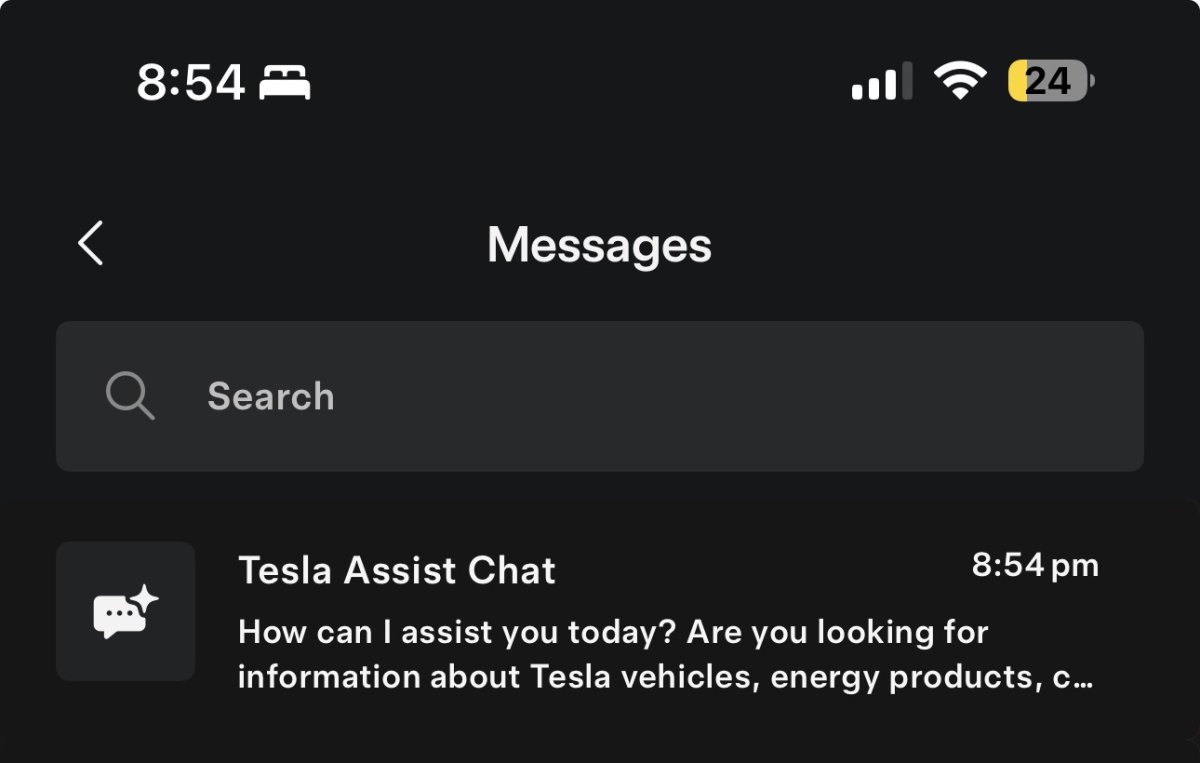
Tesla is planning to make changes in its Message Center, where Tesla sends promotions and service messages to a user within the app.

While the changes aren’t live yet, the improved Message Center is expected to include the ability to search your messages, and it’ll feature Tesla’s AI Assistant, directly at the top.

Details

Release Date

October 18, 2025