

Release Notes

Thanksgiving Badge

Tesla Thanksgiving Badge feature in update 4.63.0
Undocumented
Models:
S
3
X
Y
CT
Undocumented

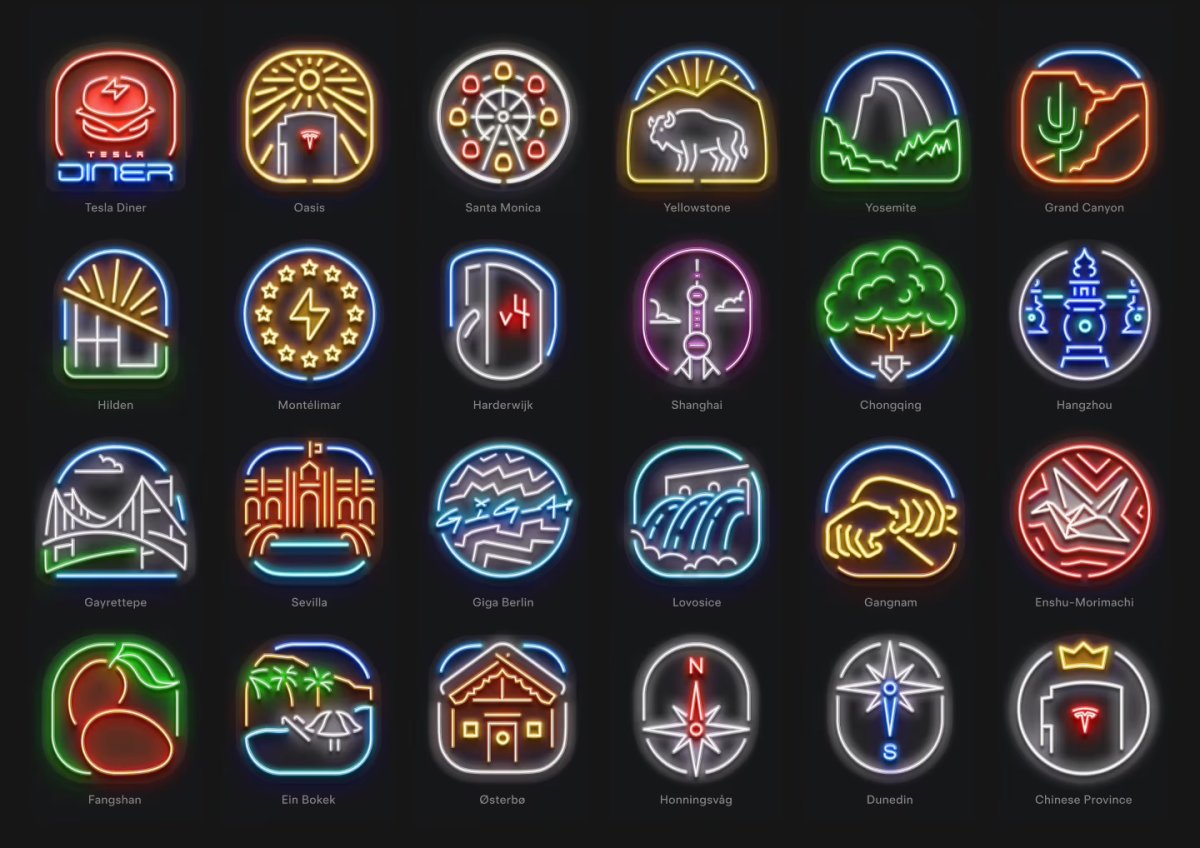
Tesla will add a Thanksgiving badge to their list of charging badges that you can earn.

You’ll likely earn this badge by charging on Thanksgiving in the U.S., which is on Thursday, November 26th, 2026.

Supercharger Voting
Tesla Supercharger Voting feature in update 4.63.0
Undocumented
Models:
S
3
X
Y
CT
Undocumented

Tesla lets users vote on some of its next Supercharger locations. Currently, users must vote in a browser, but this popular feature will soon be added to the Tesla app via a webview.

Companies often use webviews for less prominent features. This lets them leverage the same code already used on the web, allowing for faster integration.

Some of the phrases in this app that hint at this upcoming feature include:

VehicleChargingBadgesSuperchargerVotingWebviewScreen

getShowSuperchargerVotingBreadcrumb

SUPERCHARGER_VOTING_WEB_URL

VehicleChargingBadgesSuperchargerVotingWebviewScreen

This feature will likely be tucked in under the Charging section of the Tesla app.

Google Maps
Tesla Google Maps feature in update 4.63.0
Undocumented
Models:
S
3
X
Y
CT
Undocumented

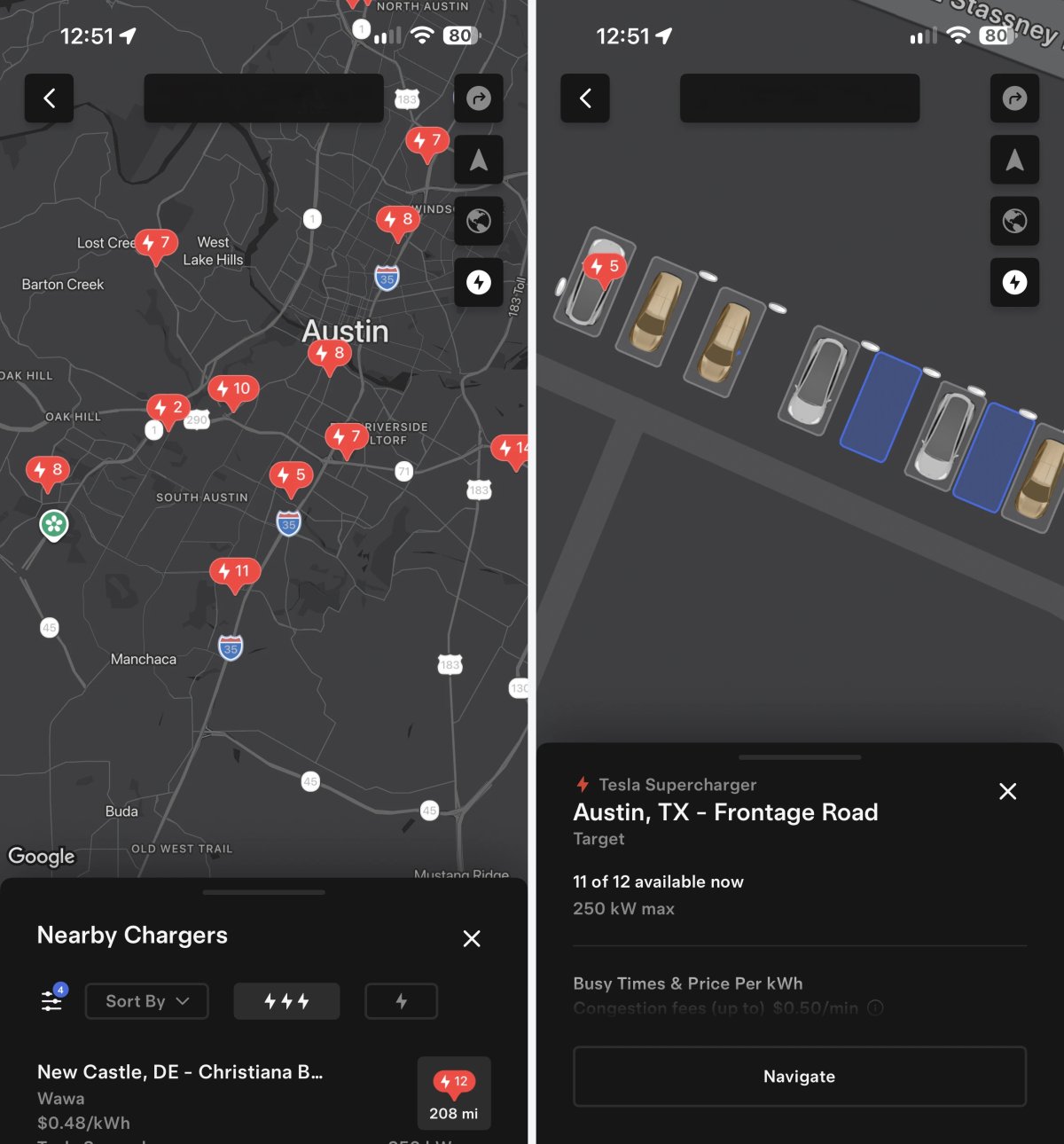
Tesla has now switched to Google Maps, replacing Apple Maps for iOS users in several regions. Google Maps is used for the regular and satellite views, and most importantly, it now provides a smooth transition when zooming in on Supercharger Site Maps.

Since their recent introduction, Site Maps have always used Google Maps, so previously, there was a short delay when zooming in on a site map, as the app swapped Apple Maps for Google Maps.

Routing and destinations remain the same.

Santa Mode
Tesla Santa Mode feature in update 4.63.0
Available Worldwide
Undocumented
Models:
S
3
X
Y
CT
Undocumented

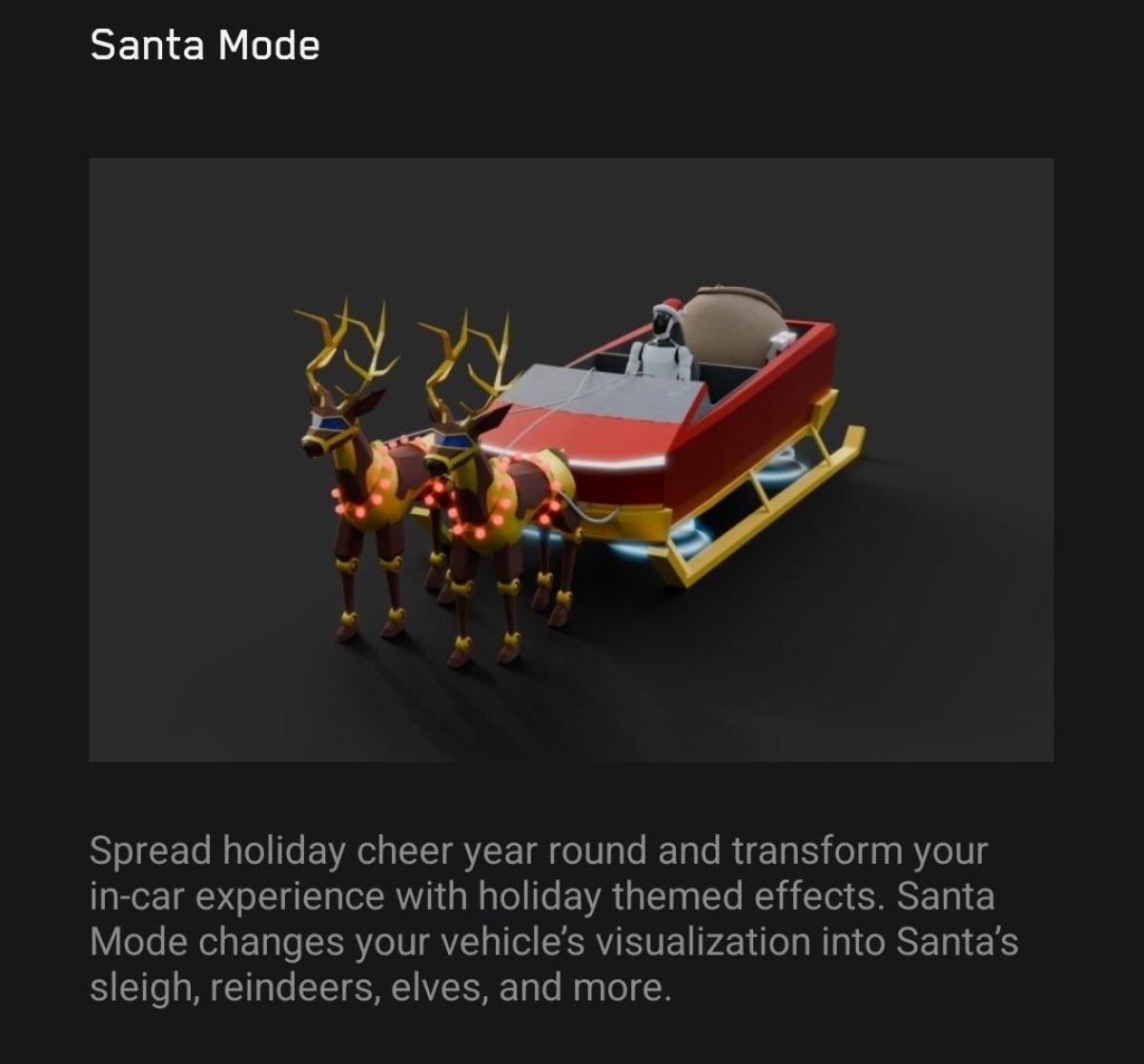
Tesla may soon add support for Santa Mode in the Tesla app, bringing some of the vehicle visuals into the app. Several phrases in the app hint at its development, including “OptionalSantaModeCase,” “setSantaMode,” and “hasSantaMode.”

If this feature materializes, expect it in this year’s holiday update.

Tesla has been putting more focus on its app, recently adding iPad and iPhone Duo support. Its development lead has also said more vehicle controls are coming, along with a Mac app.

Precondition Battery Button
Tesla Precondition Battery Button feature in update 4.63.0
Credit default
Available Worldwide
Undocumented
Models:
S
3
X
Y
CT
Undocumented

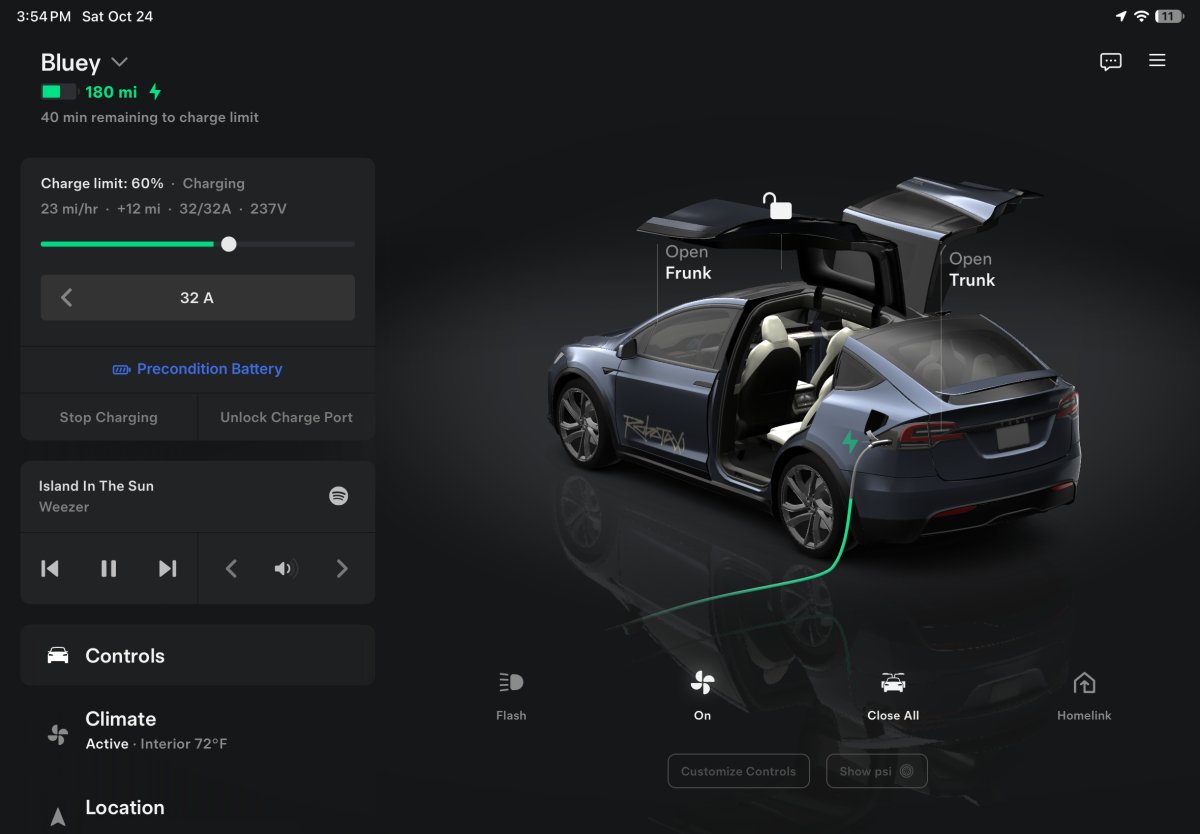
While this feature isn't live yet, Tesla is laying the groundwork to let users manually precondition their vehicle’s battery for fast charging.

Preconditioning a battery warms it up, allowing faster charging at DC chargers. While the vehicle automatically preconditions the battery when you’re navigating to a Supercharger, it may not always give the battery enough time to warm up if the Supercharger is nearby, or if it’s a third-party charger.

Users will soon be able to manually start preconditioning their battery if they choose.

The app states: “Your Tesla will automatically precondition when navigating to Tesla Superchargers or other known fast chargers. You can also start preconditioning manually to maximize your charging performance. Begin one hour before you plan to charge. Once optimal pack temperature is reached, it will be maintained for thirty minutes.”

Improved Vehicle Badges

Tesla Improved Vehicle Badges feature in update 4.63.0
Available Worldwide
Undocumented
Models:
S
3
X
Y
CT
Undocumented

For special or performance vehicles, Tesla recently added animated vehicle badges to the bottom of the app. Tapping these images would play an animation of the badge.

Previously, these animations were made up of individual images, but they have now been replaced with video assets, making them smoother and smaller.

Use Tesla Login
Tesla Use Tesla Login feature in update 4.63.0
Credit default
Available Worldwide
Models:
S
3
X
Y
CT

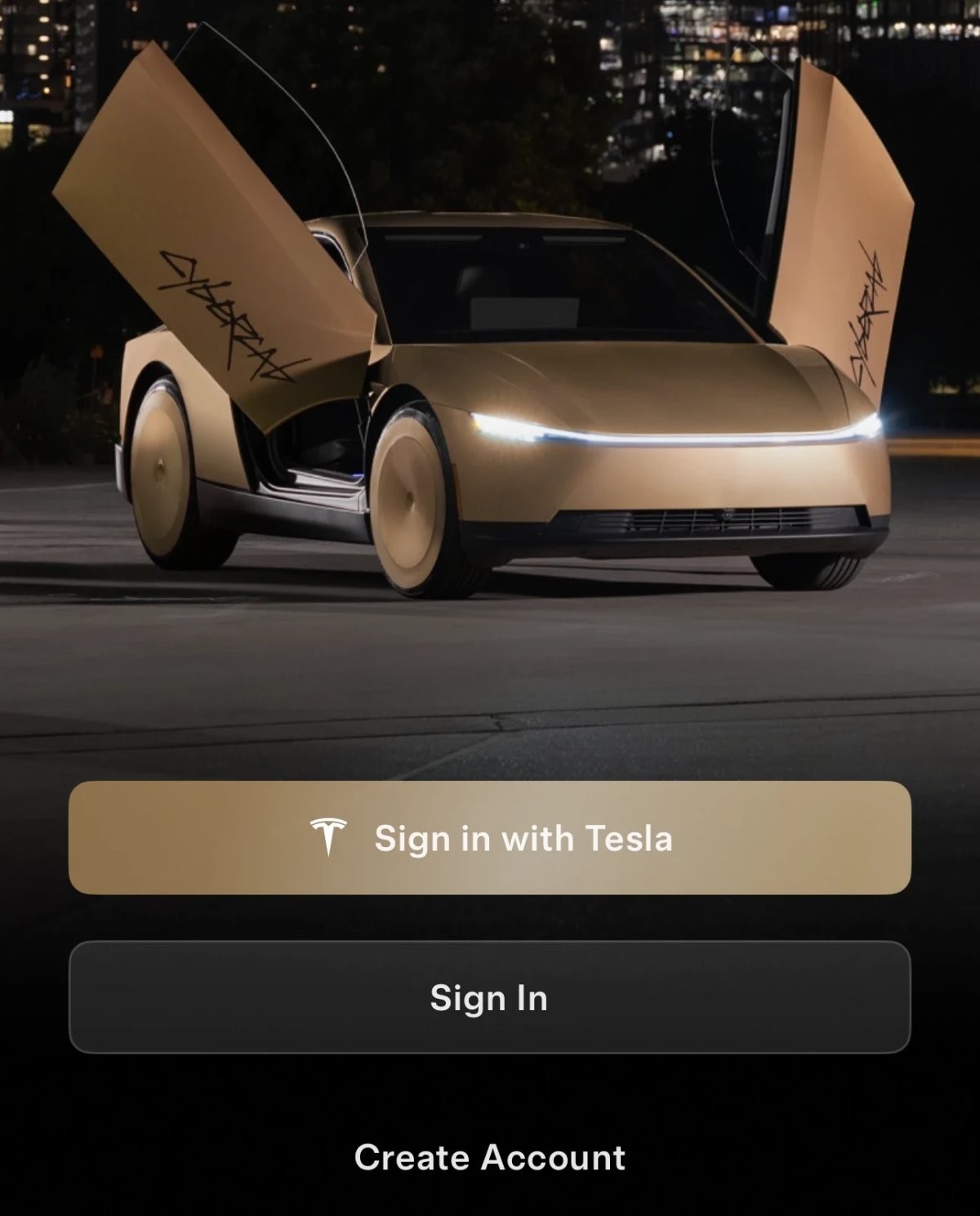
Tesla now lets you authorize the Tesla app to share its login information with the Robotaxi app. This lets users already signed in to the Tesla app log in to the Robotaxi app without manually entering their Tesla account information.

While the buttons are a little confusing, the “Sign in with Tesla” button gives the Tesla app permission to share login details with the Robotaxi app, while the “Sign in” button allows you to manually sign in to the Robotaxi app using your Tesla account, without having the Tesla app share any information.
Tesla App 4.62.5 Update Adds Ability to Remove Vehicle Keys and More

Remove Vehicle Keys From App

Tesla Remove Vehicle Keys From App feature in update 4.62.5
Available Worldwide
Undocumented
Models:
S
3
X
Y
CT
Undocumented

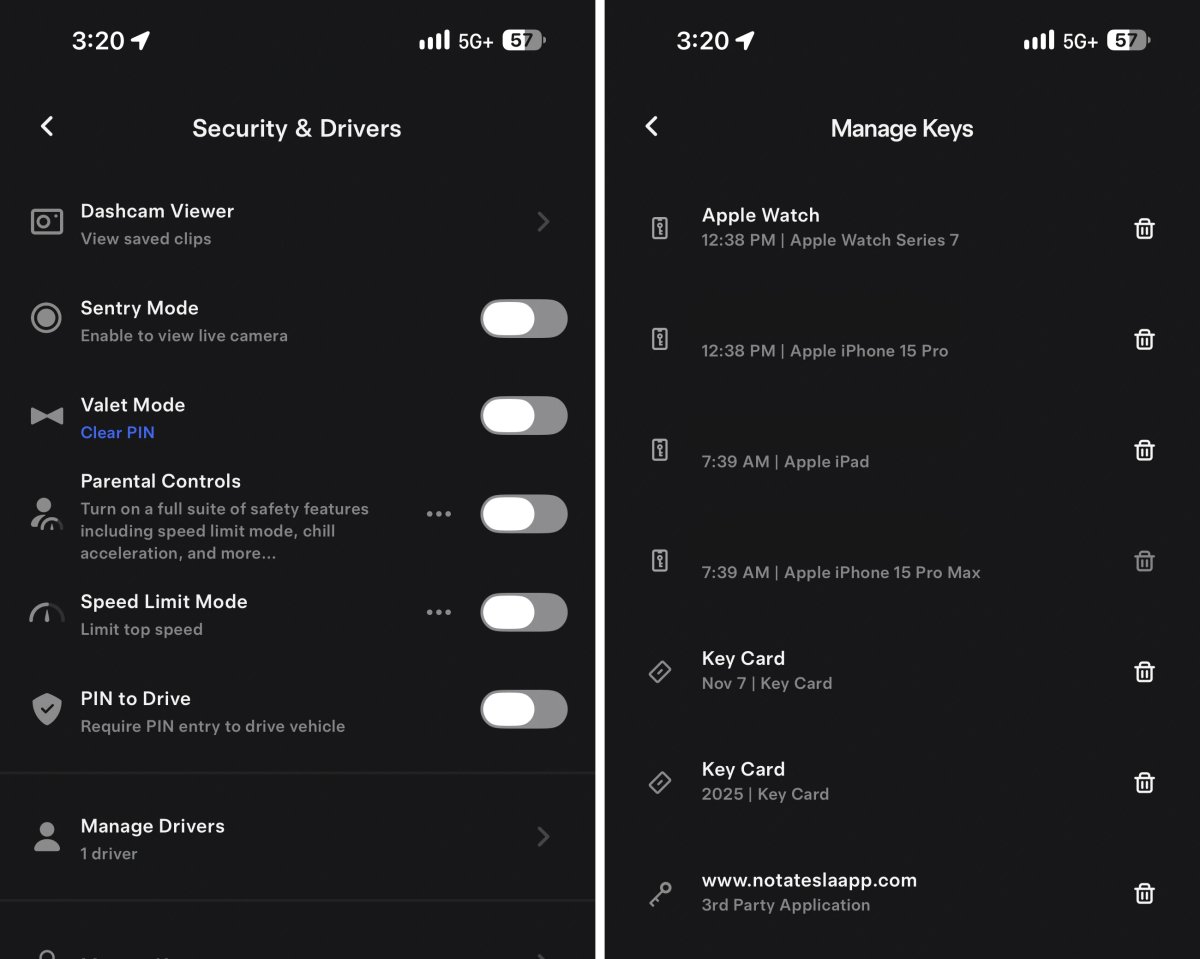
Under Security, Tesla has added a new option to manage vehicle keys. Vehicle keys are any devices that have access to your vehicle, even if Phone Key isn’t enabled. These could be key cards, phones, other devices or Tesla’s telemetry service for third party services.

In addition to being able to delete the key directly from the Tesla app, you no longer need to use an active key card to confirm the deletion. As long as you are the owner of the vehicle (as opposed to someone sharing a vehicle with you), and have your device set up as a Phone Key, you can now delete unused keys without any additional steps.

FSD Referrals

Tesla FSD Referrals feature in update 4.62.5
Undocumented
Models:
S
3
X
Y
CT
Undocumented

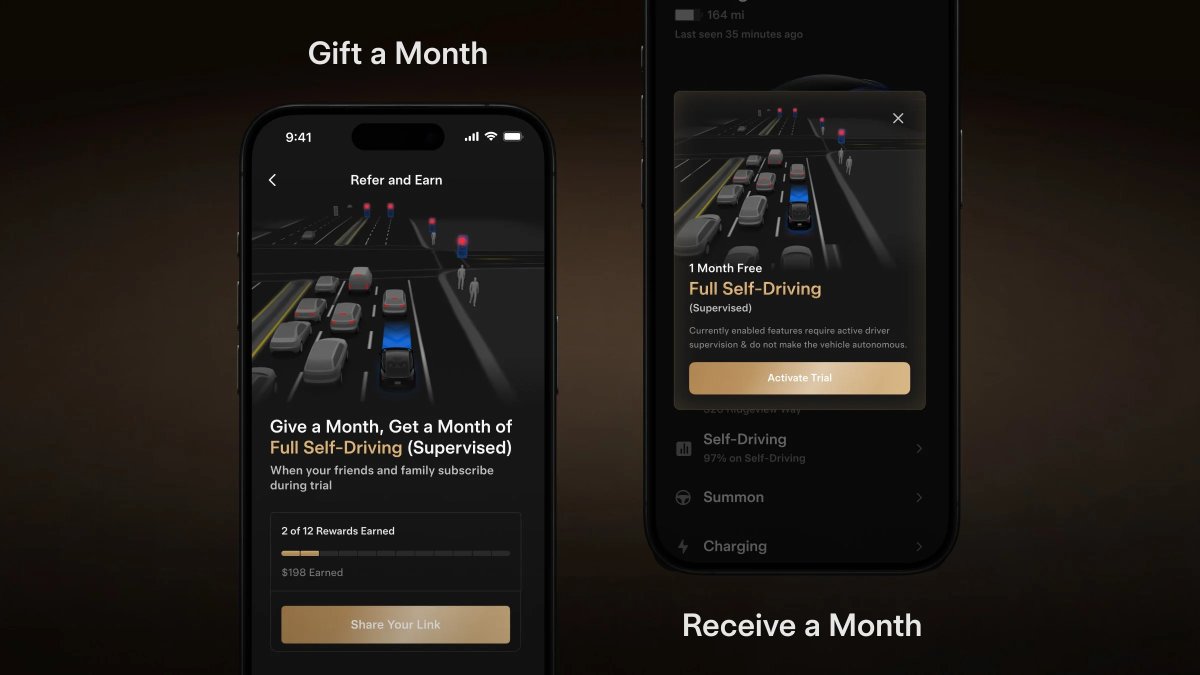
Tesla has swapped out the vehicle referral program in the United States for FSD referrals. Owners can now earn $99 per FSD referral.

Similar to the older program that gave owners a $250 credit to spend on Tesla services or products, This program is also limited to 12 referrals per calendar year.

If you subscribe to FSD, you’ll automatically get a free month of FSD and can choose which vehicle it applies to. If you bought FSD, then you get a $99 Tesla credit to use at the Tesla Shop, charging or service.

Reset Phone Key

Tesla Reset Phone Key feature in update 4.62.5
Available Worldwide
Undocumented
Models:
S
3
X
Y
CT
Undocumented

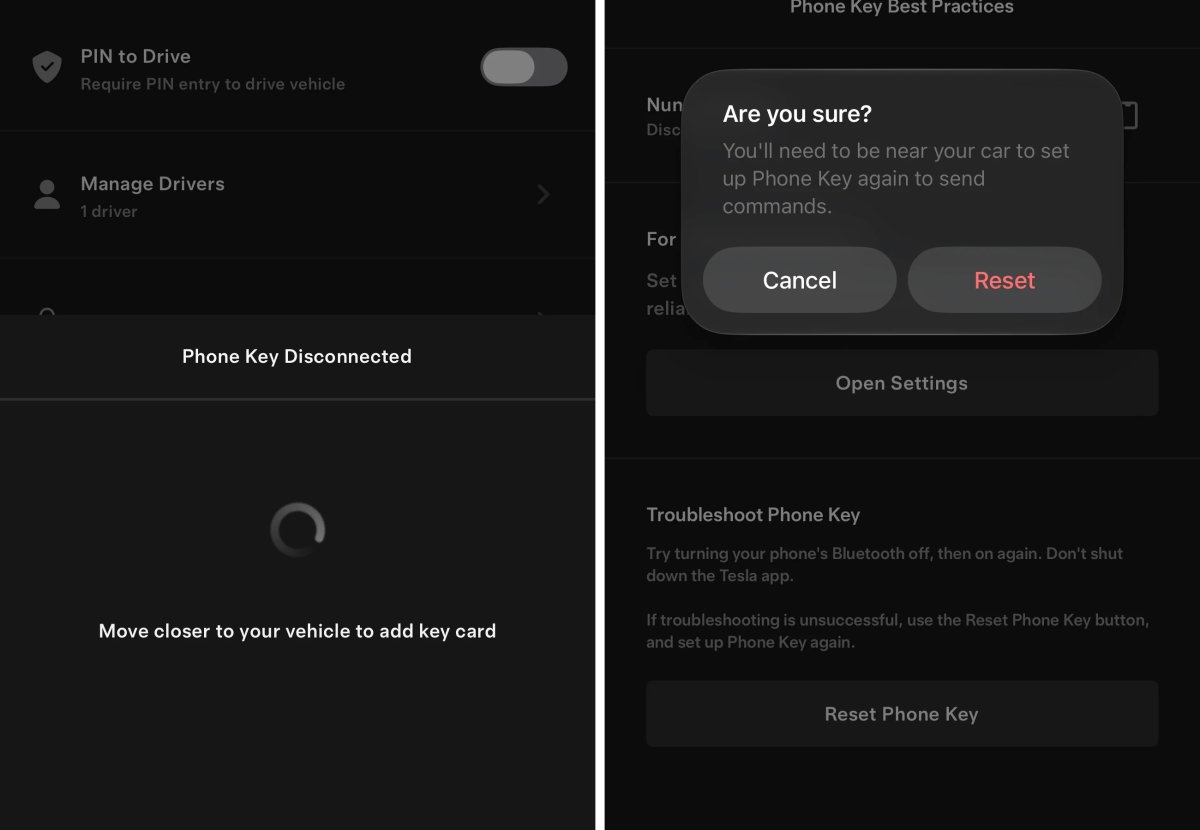
Under Security and Phone Key Best Practices, you can now reset a phone key if you’re having difficulties with it.

You will need to be near the vehicle in order to perform this action.

Tesla App Update 4.62: iPad Support, FSD Referral Rewards, X Money Support and More

iPad / iPhone Duo Support

Tesla iPad / iPhone Duo Support feature in update 4.62.0
Available Worldwide
Undocumented
Models:
S
3
X
Y
CT
Undocumented

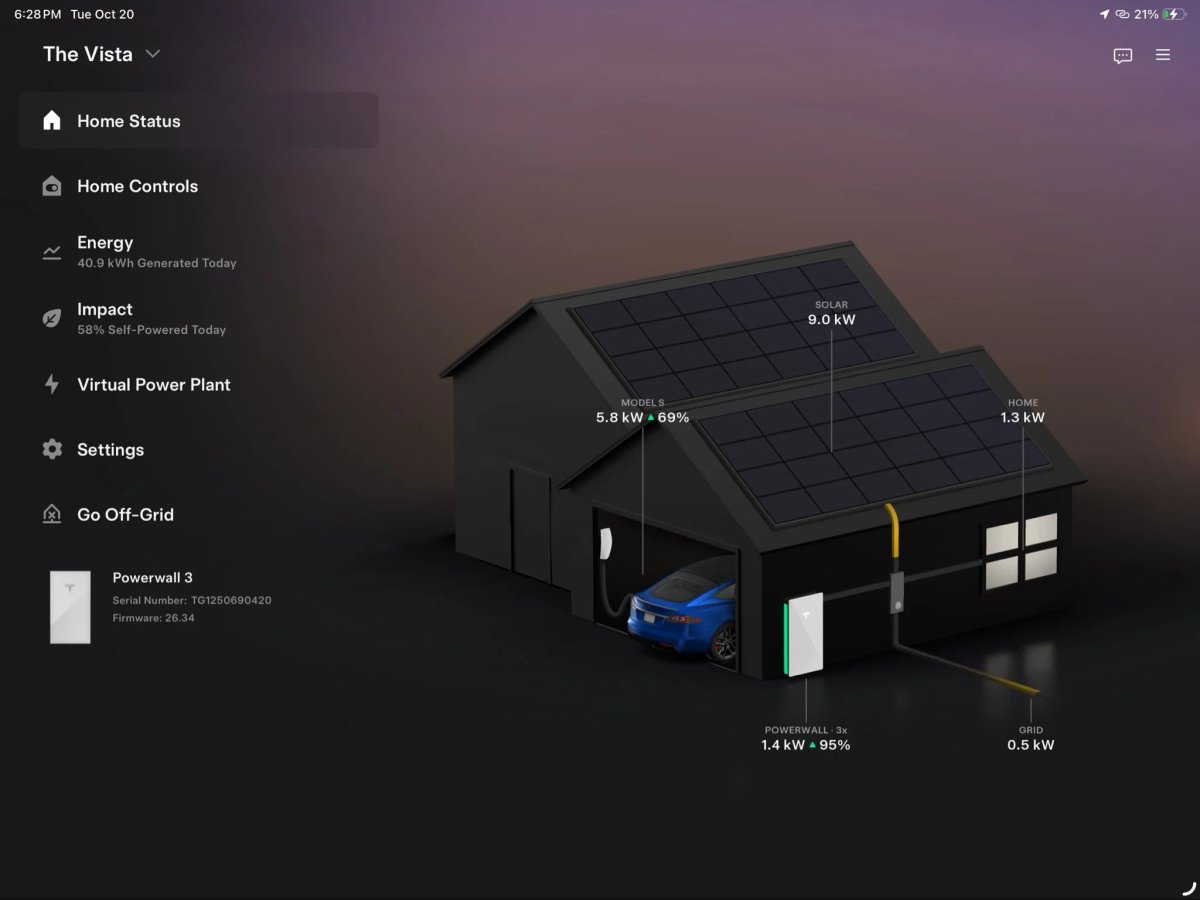
This Tesla app update adds support for tablets and foldable phones, including the iPad and iPhone Duo. On most screens, the app now spans the full width of the device with beautiful large visualizations.

The vehicle visualizations on larger devices are now almost identical to the ones inside the vehicle. They include an ambient background, vehicle reflections and the buttons to open the frunk/trunk, charge port and lock/unlock the vehicle move onto the visualization instead of being buttons in Quick Actions.

The Show PSI button now shows up under the visualization as well, instead of being in Controls.

While not all of the app panels take advantage of the larger device screen yet, most of the major ones do benefit from the larger screen, including Climate, Loation, Self Driving, Summon and Charging.

FSD Referrals

Tesla FSD Referrals feature in update 4.62.0
Undocumented
Models:
S
3
X
Y
CT
Undocumented

This app update includes code and phrases that suggest Tesla will be offering FSD referrals in the future. Referring customers to subscribe to FSD will earn you a free month or months of FSD for any of the vehicles on your account.

Tesla has also included front and back images of a FSD referral “coin,” that will presumably be shown in the app when you refer someone.

Some of the new phrases in the app include:

“Select the vehicle you'd like to apply the Full Self-Driving (Supervised) trial to”

“If someone subscribes with your link, pick which vehicle gets the reward”

“Confirm Vehicle for Reward”

X Money Support

Tesla X Money Support feature in update 4.62.0
Undocumented
Models:
S
3
X
Y
CT
Undocumented

Tesla is planning to add support for X Money to the Tesla app. The feature will allow users to set up X Money as a payment method that could be used to purchase items in the Tesla Shop, pay for Supercharging or subscribe to FSD.

Virtual Queue

Tesla Virtual Queue feature in update 4.62.0
Credit @AlSultan_Meriam
Undocumented
Models:
S
3
X
Y
CT
Undocumented

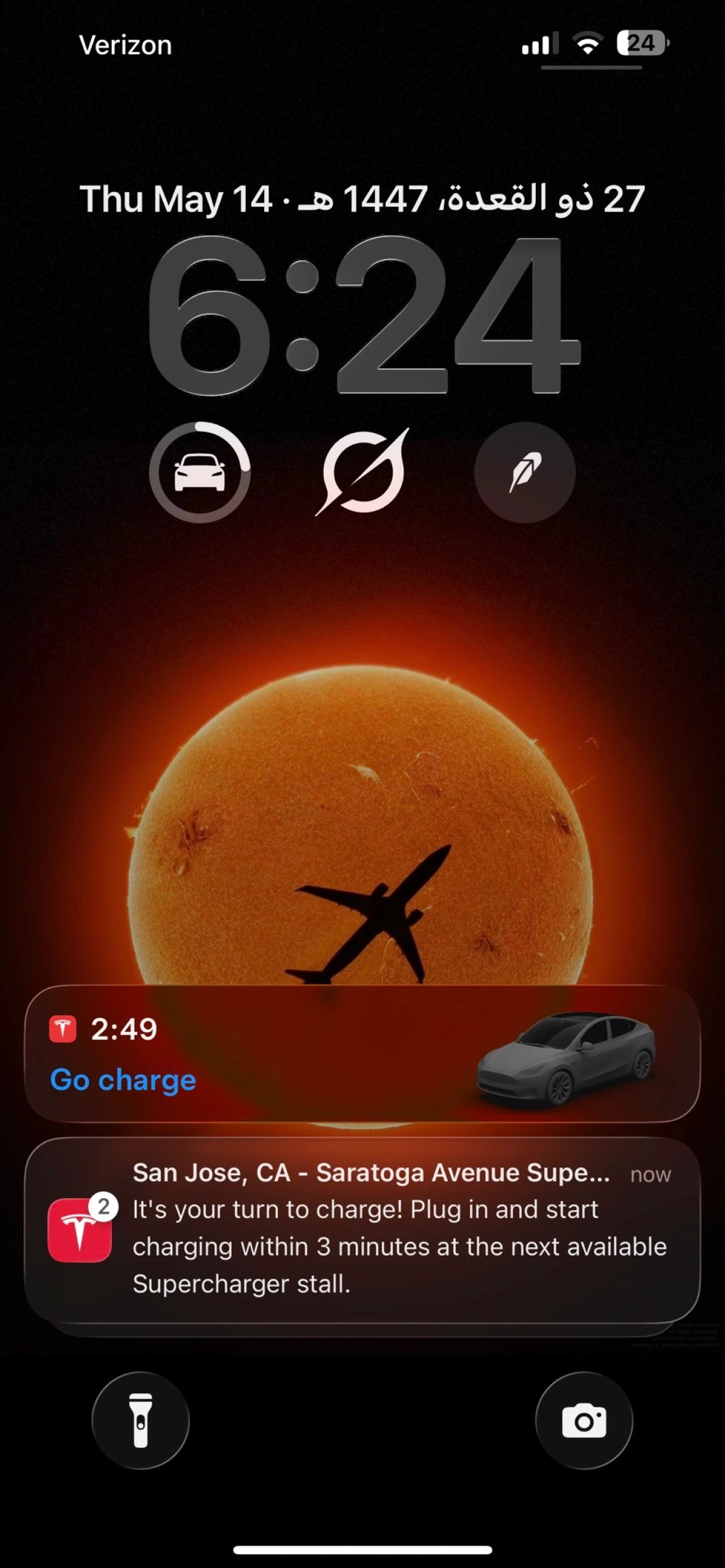
This app update includes some tweaks to Tesla’s virtual queue feature. The changes are small and hint at some final tweaking before the feature is launched more widely.

Tesla is currently testing its Virtual Queue at five locations in the U.S.

Share Wall Connector

Tesla Share Wall Connector feature in update 4.62.0
Available Worldwide
Undocumented
Models:
N/A
Undocumented

In the Tesla app, you can already share vehicles and Tesla Energy with other Tesla users, giving them access to your vehicles or Powerwall/solar settings.

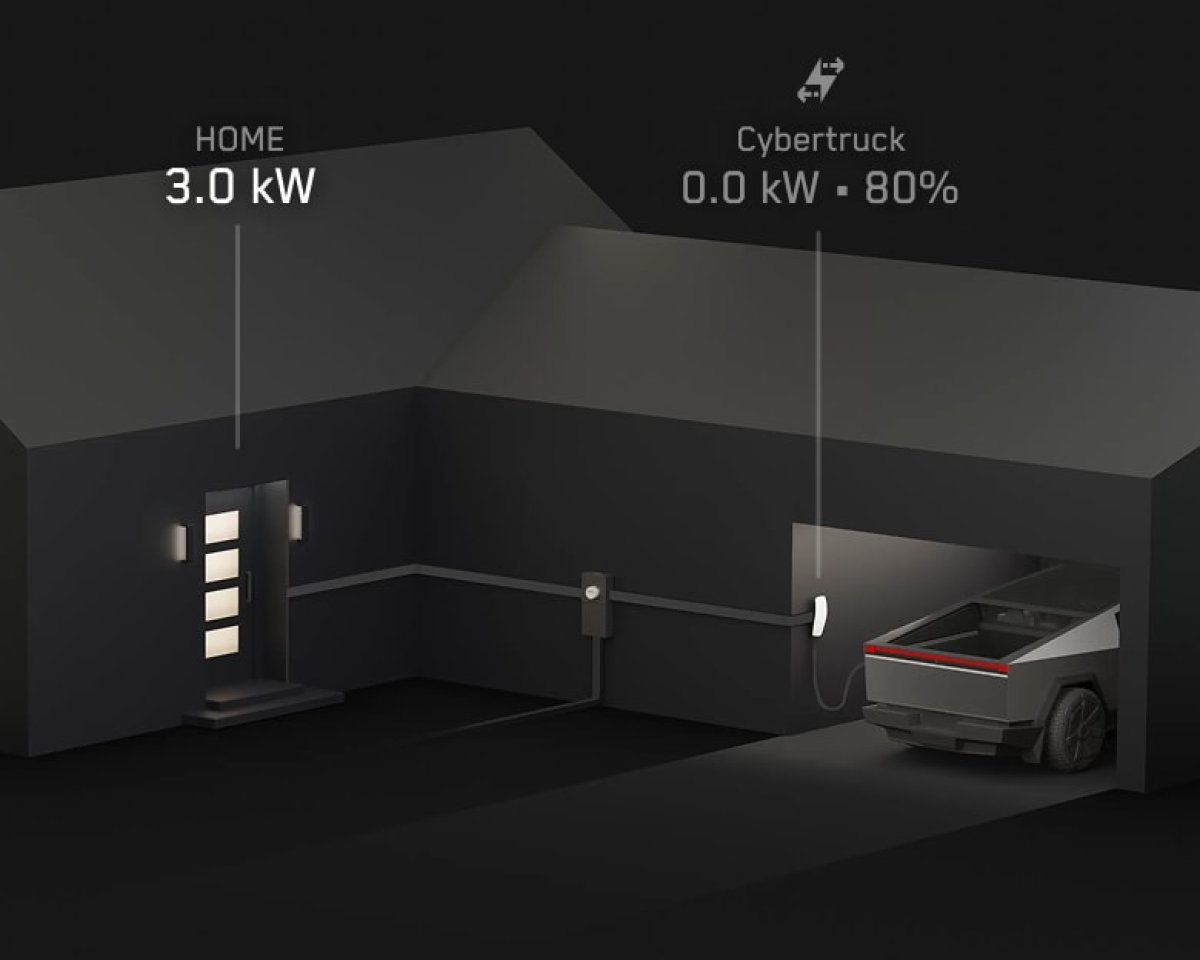
However, Tesla appears to be expanding this by letting you share your Wall Connector with other users as well.

This update states “After joining, you can charge with this Wall Connector and manage its charging settings. You can leave any time. The owner can view charging activity related to you, such as charge history.”

This upcoming feature will let users share their Wall Connector with up to five users, instead of having to share their whole Tesla Energy site, which includes the home’s address and controls of their Powerwall and solar panels.

Details

Release Date

November 18, 2026